


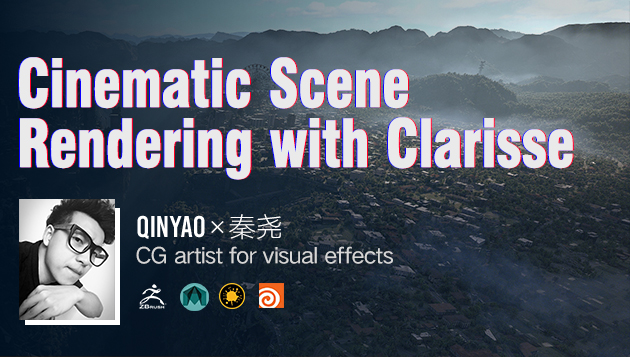
Cinematic Scene Rendering with Clarisse

Replay
WATCH NEXT FREE LESSON
Preview this course
35,133
English
$0.00 × 1
$79.00 $189.00 59 %off
$0.00 ×
1
$75.05
Buy Now
Add to cart
This course includes:
23
hours video
1
downloadable resource
Lifetime Access
Intermediate / Advanced


Gift this course
Share Get the 18% off
-- : -- : -- : --
Cinematic Scene Rendering with Clarisse
$79.00 $189.00 59%off
Plus's Price $75.05
Add to cart
Go to cart
Buy Now
Full Payment
Pre-registeration
Cinematic Scene Rendering with Clarisse
35,133
English
This course includes:
23
hours video
1
downloadable resource
Lifetime Access
Intermediate / Advanced
Gift this course
Share Get the 18% off
-- : -- : -- : --
102
Lessons
(Finish)
Trailer
 (3m 46s)
(3m 46s)
Chapter 1: Getting to know Clarisse
1. About the Clarisse operation interfaceg
(17m 20s)
2. Project setup and document management
(7m 45s)
Chapter 2: model operation and editing
3. Model import and attribute editing
(7m 3s)
4. Understand Combiner merging objects and grouping
(6m 58s)
5. Use the Clone stamp tool
(8m 50s)
6. Use the Constraint tool
(7m 38s)
Chapter 3: material editing and lighting details
7. Displacement mapping
(9m 27s)
8. Types of lights
(14m 12s)
9. HDRI based ambient light rendering
(4m 31s)
10.Volume of light fog rendering
(9m 2s)
11.Create PBR standard physical material
(9m 38s)
12.Specular based PBR process
(21m 57s)
13.Metallic based PBR process
(3m 42s)
14. Different UV mapping methods
(8m 7s)
15. Application of program texture
(16m 56s)
16. Assign materials by using the Shading Layer editor
(10m 45s)
17. Use Shading Variables material Variables
(13m 14s)
Chapter 4: an in-depth understanding of scene spread
18. Understand Point Cloud and Scatter tools
(24m 13s)
19. Bake particles and use a brush to adjust object scatter
(22m 8s)
20. Advanced application of object dispersion - plant scatte
(23m 38s)
21. Advanced application of object spread - crowd simulation
(19m 38s)
Chapter 5: animation modules and special effects
22. Timeline and key frame animation
(7m 21s)
23. The basics of using a Scope controller
(6m 46s)
24. Use Scope controller to extend the article
(19m 4s)
Chapter 6: import and edit of other assets
25. Import the VDB volume cloud made by Houdini
(15m 31s)
26. Import Houdini made VDB flame
(10m 27s)
27.Maya hair import and edit
(28m 9s)
28.Speedtree vegetation import and editing
(18m 19s)
Chapter 7: Render Settings
29.Basic render Settings
(20m 54s)
30.Export rendered output channels
(16m 17s)
31. Fundamental of Nuke
(18m 1s)
32. Customize the aov_store channel
(18m 11s)
33. Rendering noise reduction and quality control
(17m 47s)
34. Use ShadowCatcher in conjunction with live-action render
(11m 1s)
35. Cartoon material rendering
(15m 18s)
36. Use of light path expressions
(18m 47s)
Chapter 8: introduction to Clarisse Python
37. Understand the basic statements of Python in Clarisse
(13m 38s)
38. Use Clarisse's GuiLibrary to create the tool interface
(21m 20s)
Chapter 9: Clarisse tools
39. Automatically create the lookdev project file
(13m 30s)
40. Automatically create render test greyballs and reflectio
(8m 15s)
Chapter 10: new features with Clarisse 4.0
41. HDRI based ambient light creation tool
(7m 49s)
42.The playblast shot
(5m 56s)
43.Inherit UV properties using layer editing
(2m 57s)
44. The surface constraints
(4m 2s)
45. Use of the transform tool
(11m 28s)
46. Layer render with mask objects
(5m 52s)
47. Improvement of volume material
(5m 30s)
48. Bulk object density clipping
(2m 22s)
49.Multiple scattering
(3m 43s)
50.Lantern Festival point
(5m 9s)
51. IES light domain network
(6m 42s)
52. Spotlight improvements
(4m 35s)
53. Application of expressions
(21m 10s)
Chapter 11: creation of island
54. Understand the WorldCreator interface -1
(17m 5s)
55. Understand the WorldCreator interface -2
(19m 9s)
56. Island terrain example production
(16m 55s)
57. Island mapping
(5m 31s)
58. Island model reduction and optimization
(4m 14s)
Chapter 12: details of the island
59. Import the island model with basic lighting creation in
(6m 10s)
60. Create island base materials and textures in Clarisse
(7m 29s)
61. Make sea surface textures in Clarisse
(9m 29s)
62. Island vegetation distribution is made in Clarisse
(18m 58s)
63. Create Future city in Clarisse -1
(7m 24s)
64. Create a cloud atmosphere in Clarisse
(10m 8s)
65. Make the ship animation cluster in Clarisse
(4m 55s)
66. Create Future city in Clarisse -2
(12m 27s)
Chapter 13: render and post processing
67. Island scene render output Settings
(23m 7s)
68. Final scene compostion
(17m 40s)
Chapter 14: underwater camera Layout
69. Use simplified models to make underwater scene layout
(11m 11s)
70. Construction of underwater stone body structure
(19m 32s)
Chapter 15: underwater asset production
71. Underwater stone scattering
(8m 10s)
72. Underwater plant assets with dynamic production
(19m 53s)
73. Underwater plant scattering
(10m 51s)
74. Create materials for underwater scenes
(8m 30s)
Chapter 16: underwater scene lighting and detail processing
75. Underwater visibility simulation
(4m 41s)
76. Underwater lighting caustic simulation
(11m 17s)
77. Underwater moss production
(6m 59s)
Chapter 17: animation of underwater scenes
78. Mermaid animation
(10m 37s)
79. Fish animation
(11m 26s)
Chapter 18: rendering and composition of underwater scenes
80. Underwater scene rendering Settings
(8m 12s)
81.Underwater scene final composition
(27m 15s)
82.Underwater impurity simulation
(11m 25s)
Chapter 19: making the city layout
83. Understand the CityEngine interface
(14m 42s)
84. Map the city's road network in CityEngine
(9m 51s)
85. Use CGA programming to segment urban areas
(20m 4s)
86.CityEngine is combined with Clarisse to create city layout -1
(17m 17s)
87.CityEngine is combined with Clarisse to create city layout -2
(15m 41s)
88.Optimize CGA layout code -1
(18m 15s)
89.Optimize CGA layout code -2
(12m 33s)
90.Update map layout and building assets in real time
(24m 11s)
Chapter 20: city lighting materials and atmosphere
91. Create city base materials and lighting
(21m 3s)
92. Create urban spotlight and atmosphere
(11m 10s)
Chapter 21: details of the city
93.Fine-tune city streets
(12m 7s)
94.Create a viaduct network
(24m 10s)
95.Create a viaduct CGA rule
(23m 54s)
96.Create street lighting distribution
(10m 51s)
97.Create a vehicle distribution
(9m 17s)
98.Create billboard distribution
(27m 25s)
99.Fine-tune the city lights
(15m 26s)
100. Create AR style lighting
(6m 34s)
Chapter 22: case adjustment of large cities
101. Large city case rendering Settings
(5m 17s)
102. Synthesis and retouching of large city cases
(16m 46s)
You must be purchased to post a comment.
Buy Now !
Start a Conversation
Ask a Question
Share a Project
Cancel
Post
There are no discussions for this course.
Buy now and unlock more
Go to see all discussions
Lecturer
Yao Qin
Please select the mode you want
Single
$
3 people
$x3
$79.00
$75.05
Add to cart
Go to cart
Buy Now
