


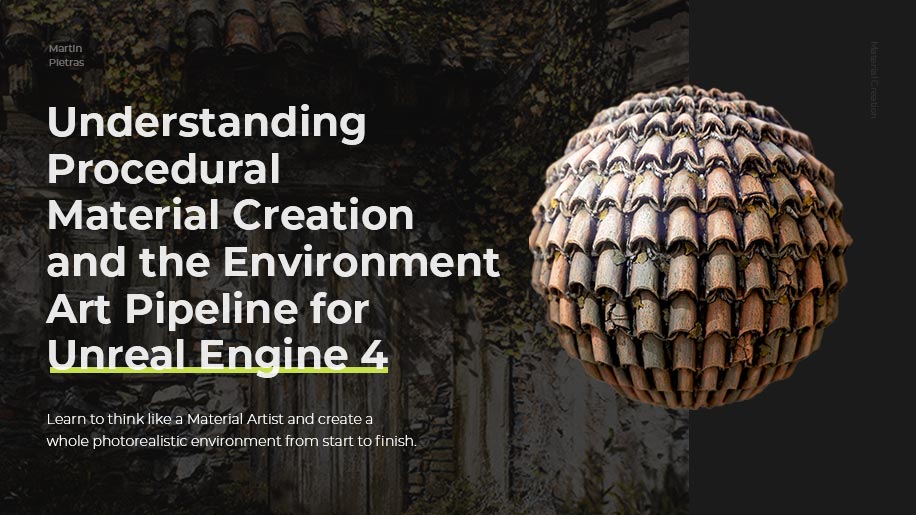
Understanding Procedural Material Creation and the Environment Art Pipeline for Unreal Engine 4

Replay
WATCH NEXT FREE LESSON
Preview this course
28,404
English
$0.00 × 1
$99.00 $169.00 42 %off
$0.00 ×
1
$94.05
Buy Now
Add to cart
This course includes:
37
hours video
1
downloadable resource
Lifetime Access
Beginner


Gift this course
Share Get the 18% off
-- : -- : -- : --
Understanding Procedural Material Creation and the Environment Art Pipeline for Unreal Engine 4
$99.00 $169.00 42%off
Plus's Price $94.05
Add to cart
Go to cart
Buy Now
Full Payment
Pre-registeration
Understanding Procedural Material Creation and the Environment Art Pipeline for Unreal Engine 4
28,404
English
This course includes:
37
hours video
1
downloadable resource
Lifetime Access
Beginner
Gift this course
Share Get the 18% off
-- : -- : -- : --
136
Lessons
(Finish)
00-Course Introduction
01- Trailer
 (1m 20s)
(1m 20s)
02- Course Introduction
(4m 57s)
01-Introduction to Substance Designer
01-Finding Your Idea and References
(18m 21s)
02-Finding References for Materials
(18m 1s)
03-Intro to Substance Designer
(28m)
04- Intro to shapes and tile generators
(42m 32s)
05-Shape Mapping
(9m 42s)
06-Shape Manipulation Nodes
(28m 11s)
07-Transform Nodes
(16m 19s)
08-Blend-Nodes
(14m 28s)
09-Effects Grayscale
(20m 46s)
10-Gradient Remaps
(5m 25s)
11-Normal Filters
(6m 28s)
12-AO Generator
(4m)
13- Effects Vector
(12m 50s)
14-PBR Nodes
(4m 17s)
15-Export Nodes
(5m 34s)
02-Creating a Brick Material
01-Brick Material Reference Overview
(5m 17s)
02- Substance Working Big to Small
(17m 55s)
03- Setting up Your Viewport _ Export
(18m 49s)
04- Creating Your Base Shapes
(13m 11s)
05-Creating Your Pattern
(16m 34s)
06- Generating Your Mask
(4m 29s)
07-Exposing The Parameters
(11m 1s)
08- Creating Edge Damage
(20m 3s)
09-Creating a Crack Generator
(32m 58s)
10-Creating A Grout Generator
(18m 11s)
11-Creating Your Grout Mask
(33m 25s)
12- Creating Topological Brick Detail
(40m 56s)
13-Creating Topological Mortar Details
(30m 51s)
14-Creating the Base Color Pass
(14m 59s)
15-Setting Up Your Gradient Inputs
(22m 35s)
16-Setting Up Your Color Grunge
(11m 9s)
17-Mesh Adaptive Filters
(6m 4s)
18-Color Height Influence
(35m 22s)
19- Roughness Pass
(13m 32s)
20-Setting Up a Render Scene
(33m 58s)
21-Setting Up Packed Maps _ Outputs
(4m 13s)
03-Creating a Plaster Material
01-Breaking Down The Reference
(6m 21s)
02- Creating the Base Shapes _ Forms
(28m 19s)
03- Creating Secondary Shapes _ Topological Details
(28m 17s)
04-Creating The Base Color Pass
(45m 34s)
05- Finalizing The Render
(18m 44s)
04-Creating a Stone Wall Material
01-Breaking Down The Reference
(4m 24s)
02-Creating The Base Shape
(24m)
03-Creating The Tile Generators
(30m 35s)
04-Creating The Topological Details
(14m 36s)
05-Grout Creation
(22m 36s)
06-Final Height Blend
(4m 13s)
07-Base Color Pass
(14m 44s)
08- Base Grunge and Height Influence Pass
(15m 17s)
09- Color Adjustment and Roughness Pass
(7m 11s)
10-Finalizing the Render and Lighting
(18m 2s)
05-Creating a Rooftile Material
01-Breaking Down The References
(5m 16s)
02-Creating The Base Shapes
(13m 22s)
03- Creating the Tile Sampler
(7m 42s)
04-Flood Fill and Masks
(4m 4s)
05- Creating Damage and Topological Noise
(13m 11s)
06- Creating a Tile Crack Generator
(13m 10s)
07- Creating a Dirt Generator and Blend
(21m 21s)
08-Creating the Grout Generator
(21m 51s)
09-Creating the Leaf Generator
(22m 44s)
10- Creating the Shape Splatter
(16m 20s)
11- Creating The Base Color Pass
(28m 29s)
12- Mesh Influencing and Weathering
(20m 14s)
13- Creating the Roughness Pass
(3m 29s)
14- Creating A Render
(11m 21s)
06- Creating a Cobblestone Material
01- Analyzing The Reference
(4m 22s)
02- Creating The Base Shapes _ Forms
(32m 38s)
03- Creating The Dirt
(12m 22s)
04- Creating The Pebble Damage
(11m 45s)
05- Setting Up The Base Color
(18m 58s)
06- Creating The Base Color Weathering
(12m 46s)
07- Creating The Render
(9m 45s)
07-Creating an Ivy Material
01-Breaking Down the Reference
(4m 14s)
02- Creating The Base Leaf Shapes
(22m 14s)
03- Creating 3D Extrusion Of The Leaf
(12m 35s)
04-Creating A Leaf Alpha Node
(9m 2s)
05- Creating The Leaf Crumple
(8m 31s)
06- Creating The Roots
(21m 22s)
07- Creating The Leaf Tile Samplers
(37m 3s)
08- Creating The Base Color
(21m 37s)
09- Creating The Opacity Mask
(5m 1s)
10- Creating The Render
(10m 9s)
08- Creating a Wood Trim Material
01- Analyzing The Reference
(2m 42s)
02- How To Approach Wood Grains
(3m 50s)
03- Creating The Wood Grain
(19m 33s)
04- Creating Wood Board Trims
(20m 23s)
05- Creating Peeling Detail
(24m 3s)
06- Creating The Base Color Weathering
(32m 8s)
07- Creating The Render
(8m 21s)
09-Creating a Rustic Wood Material
01- Analyzing The References
(3m 51s)
02- Creating The Wood Grain
(13m 19s)
03- Creating The Wood Grain Details
(15m 51s)
04- Creating The Base Color
(15m 27s)
05- Creating The Render
(6m 43s)
10-Creating a Dirt Material
01- Analyzing The References
(5m 15s)
02- Creating The Base Dirt Mounds
(20m 26s)
03- Creating The Stones
(16m 49s)
04- Creating The Base Color
(14m 13s)
05- Creating The Render
(10m 43s)
11-Creating a Cobwebs Material
01- Analyzing The Reference
(4m 53s)
02- Creating The Base Pattern
(14m 34s)
03- Creating The Surface Details
(14m 25s)
04- Going Over Exporting
(6m 37s)
12- Creating Geometry In Maya
01- Analyzing The Modeling References
(9m 56s)
02- Intro To Maya
(26m)
03- Intro To Maya Part 2
(20m 59s)
04- Creating Fine Details
(34m 25s)
05- Creating The UVs
(18m 57s)
06- Creating The UVs Part 2
(29m 36s)
07- UVing Objects With Opacity
(10m 51s)
08- Creating Trim Tiles
(46m 4s)
13-Intro To Unreal Engine 4
01- Intro To Unreal Engine 4
(16m 10s)
02- Setting Up The Render Scene
(18m 14s)
03- Setting Up The Master Material
(26m 52s)
04- Intro To Lighting In Unreal Engine 4
(30m 46s)
05- Setting Up Material Instances
(38m 53s)
06- Creating A Render In Unreal Engine 4
(16m 34s)
07- Exporting The Render
(9m 26s)
08- Setting Up Correct Exposure Metering
(13m 28s)
09- Importing All The Materials
(15m 52s)
10 - Creating The Stone Render
(5m 10s)
11- Creating The Roof Tile Render
(15m 35s)
12- Finalizing The Renders
(17m 10s)
13- Creating The Opacity Master Shader
(17m 48s)
14- Finalizing The Opacity Renders
(13m 17s)
15 - Importing Our Meshes From Maya
(12m 57s)
16 - Fixing Camera Clipping _ Tweaks
(19m 24s)
17- Creating Layered Blend Shaders
(33m 8s)
18- Tweaking The Scene Geometry
(40m 53s)
19- Tweaking The Materials
(37m 32s)
20- Importing Megascans
(20m 50s)
21- Creating Decals
(16m 7s)
22- Creating A Shadow Blocker
(15m 44s)
23- Final Tweaks To The Scene
(15m 46s)
24- A Look Back At What We Learned
(4m 4s)
You must be purchased to post a comment.
Buy Now !
Start a Conversation
Ask a Question
Share a Project
Cancel
Post
There are no discussions for this course.
Buy now and unlock more
Go to see all discussions
Lecturer
Martin Pietras
Please select the mode you want
Single
$
3 people
$x3
$99.00
$94.05
Add to cart
Go to cart
Buy Now
