Creating a Modular Kitbash in Blender
Replay
WATCH NEXT FREE LESSON
Preview this course
734
English
$0.00 × 1
$59.00 $59.00 0 %off
$0.00 ×
1
$56.05
Buy Now
Add to cart
This course includes:
20
hours video
2
downloadable resource
Lifetime Access
Beginner / NaN

Gift this course
Share Get the 18% off
-- : -- : -- : --

Creating a Modular Kitbash in Blender
$59.00 $59.00 0%off
Plus's Price $56.05
Add to cart
Go to cart
Buy Now
Full Payment
Pre-registeration
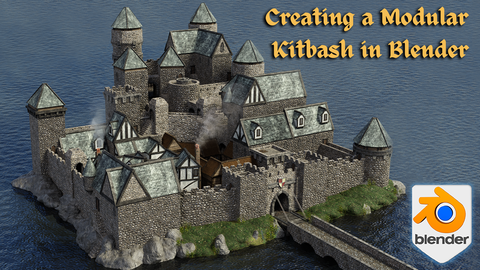
Creating a Modular Kitbash in Blender
734
English
This course includes:
20
hours video
2
downloadable resource
Lifetime Access
Beginner / NaN

Gift this course
Share Get the 18% off
-- : -- : -- : --
117
Lessons
(Finish)
Introduction to the Course
Course Introduction
(3m 38s)
Blender Basics & Navigating the UI
Lesson 1 - Introduction to Blender 3 Getting Started
(11m 33s)
Lesson 2 - Setting up References
(11m 12s)
Lesson 3 - Starting our First Model
(10m 41s)
Lesson 4 - Leaning About Blender 3 Modifiers
(11m 2s)
Lesson 5 - Blenders Amazing Node Systems
(18m 13s)
Lesson 6 - The Basics of HDRI Lighting
(10m 34s)
Lesson 7 - New to Blender 3 the Asset Manager
(6m 9s)
Lesson 8 - Repeatable Techniques & Workflows
(11m 3s)
Lesson 9 - Finishing our Bookcases
(10m 40s)
Material & Shaders Getting Started
Lesson 10 - Learning about Metallic Shaders
(10m 8s)
Lesson 11 - Seams Sharps & UV Mapping
(10m 56s)
Lesson 12 - Creating the Book Base Meshes
(10m 56s)
Lesson 13 - Creating the Page Shader
(11m 30s)
Lesson 14 - Random Shader Creation
(11m 26s)
Lesson 15 - What are Emission Nodes
(9m 30s)
Lesson 16 - Learn How to Create Stylized Wood
(11m 14s)
Lesson 17 - How to Isolate Meshes
(9m 12s)
Lesson 18 - Stylized Stone Professional Workflow
(10m 10s)
Lesson 19 - Hinges Created the Easy Way
(11m 18s)
Mid-Level 3D Modeling
Lesson 20 - Curves in Blender 3
(14m 19s)
Lesson 21 - Creating Random Island Shader
(10m)
Lesson 22 - The Importance of Normals
(10m 26s)
Lesson 23 - Welcome to Blenders Knife Tool
(9m 49s)
Lesson 24 - Procedural Stained Glass
(11m 52s)
Lesson 25 - Complex Crystal Node Setup
(12m 31s)
Lesson 26 - Displacement Shaders
(13m 42s)
Lesson 27 - Storing the Crystals in Asset Manager
(10m 42s)
Lesson 28 - Blenders Extra Curves Inbuilt Addon
(10m 51s)
Lesson 29 - Creating Tears in our Scrolls
(12m 10s)
Storytelling with our Design
Lesson 30 - Creating Simple Windows
(11m 17s)
Lesson 31 - Creating a Leaded Window Effect
(9m 44s)
Lesson 32 - Simple Parchment Creation
(11m 56s)
Lesson 33 - Accelerating our Workflow
(11m 11s)
Lesson 34 - Grease Pencil Geometry
(11m 11s)
Lesson 35 - Building for Story Telling
(11m 18s)
Lesson 36 - Starting the Chandelier Build
(11m 41s)
Lesson 37 - Stepping up our Modeling Skills
(11m 8s)
Lesson 38 - Creating new Metallic Shaders
(10m 8s)
Lesson 39 - In Depth Look at Floor References
(10m 48s)
Working with Texture Maps
Lesson 40 - Creating Random Geometry
(12m 3s)
Lesson 41 - Starting our Potion Vials
(10m 40s)
Lesson 42 - Creating Glass Shaders in Blender
(10m 5s)
Lesson 43 - Random Potion Vials
(11m 47s)
Lesson 44 - Creating Organic Creatures from References
(11m 20s)
Lesson 45 - Stone Oven Creation
(10m 18s)
Lesson 46 - Creating the Oven Firepit
(8m 14s)
Lesson 47 - Using Texture Maps to Create Fire
(7m 37s)
Lesson 48 - Complex Patterned Floors
(9m 26s)
Lesson 49 - Finishing the Diamond Floor & Shader
(7m 6s)
Working with More Complex References
Lesson 50 - Starting the Keyhole Window Asset
(10m 48s)
Lesson 51 - Adding Emission to our Keyhole Window
(9m 59s)
Lesson 52 - How to Create Simple Cloth
(10m 3s)
Lesson 53 - Finishing off the Large Table
(10m 28s)
Lesson 54 - Starting our Barrel Asset
(10m 50s)
Lesson 55 - Great Techniques to Create Barrels
(9m 3s)
Lesson 56 - Making a start on he Barrel Holder
(10m 57s)
Lesson 57 - Modelling the Complex Barrel Holder
(10m 53s)
Lesson 58 - Finishing the Barrel Holder
(10m 33s)
Lesson 59 - Planning out the Double Doors
(10m 35s)
Real World HDRI Lighting
Lesson 60 - Creating Ornate Simple Meshes
(9m 42s)
Lesson 61 - Finishing the Ornate Door Model
(8m 44s)
Lesson 62 - Welcome to HDRI Lighting
(10m 26s)
Lesson 63 - Finishing the Wizards Chair Base
(9m 34s)
Lesson 64 - Learn how to Create Cushion Effects
(9m 35s)
Lesson 65 - Finishing the Wizard's Chair Modeling
(10m 47s)
Lesson 66 - Adding Materials to the Wizards Chair
(9m 32s)
Lesson 67 - Creating the Hexagon Flooring
(11m 42s)
Lesson 68 - Starting the Portal
(10m 23s)
Lesson 69 - Creating Simple Runes
(10m 52s)
Blender Asset Manager Finale Checks
Lesson 70 - Breaking Down Complex Shaders
(9m 14s)
Lesson 71 - Finishing the Portal Shader
(10m 52s)
Lesson 72 - Starting our Boat Asset
(11m 21s)
Lesson 73 - Creating Angled Stylized Planks
(10m 51s)
Lesson 74 - Modeling the Tops of the Boat
(9m 28s)
Lesson 75 - Finishing the Boat Model
(10m 30s)
Lesson 76 - Final Asset Manager Checks
(11m 35s)
Planning out our Scene
Lesson 77 - Starting our Scene Greybox
(11m 4s)
Lesson 78 - Stylized Random Block Walls
(9m 45s)
Lesson 79 - Creating the Glowing Sewer Water
(9m 35s)
Lesson 80 - Modifier Stacks Stylized Rocks
(9m 21s)
Lesson 81 - How to Tell a Story with Assets
(10m 16s)
Lesson 82 - Placing the Stylized Rocks
(10m 21s)
Lesson 83 - Finishing the First Tier of the Scene
(10m 24s)
Lesson 84 - Complete Rope Workflow
(10m 10s)
Lesson 85 - Creating a Stylized Rope Shader
(9m 53s)
Working with Lighting & Volumetrics
Lesson 86 - Welcome to Blender 3 Volumetrics
(10m 21s)
Lesson 87 - Starting the Second Floor the Inn Room
(9m 23s)
Lesson 88 - Starting the Bar Asset Creation
(11m 15s)
Lesson 89 - Putting what we have Learned to the Test
(10m 19s)
Lesson 90 - Finishing the Last Asset of the Course
(10m 11s)
Lesson 91 - Adding Materials & Shaders to the Bar
(11m 5s)
Lesson 92 - Starting the Third Tier Portal Room
(12m 57s)
Lesson 93 - Creating a Complex Spiral Staircase
(9m 25s)
Lesson 94 - Another Way to use Booleans
(10m 15s)
Lesson 95 - Creating Realistic Candle Light
(11m 37s)
Lesson 96 - Using Origins to Create an Open Door
(9m 31s)
Lesson 97 - Taking a Step Back to Assess our Build
(10m 29s)
Lesson 98 - Bringing to Life the Portal Room
(10m 4s)
Working with Foliage Finishing the Tiers
Lesson 99 - Creating Simple Foliage in Blender
(11m 18s)
Lesson 100 - Setting up Cameras & our First Render
(10m 2s)
Lesson 101 - The Amazing Blender Compositer
(12m 26s)
Lesson 102 - Creating the Wooden Balcony
(10m 1s)
Lesson 103 - Staring the Diorama Final Floor
(13m 2s)
Lesson 104 - Using Simple Deform Modifier
(12m 5s)
Lesson 105 - Starting the Diorama Dome
(8m 36s)
Lesson 106 - Creating the Chandelier Lighting
(9m 59s)
Lesson 107 - Populating our Bookcases
(10m 18s)
Lesson 108 - Adding Assets to the Wizards Sanctum
(11m 48s)
Lesson 109 - Crating the Damaged Carpet Mesh
(15m 43s)
Lesson 110 - Finishing the Top Floor Layout
(10m 12s)
Lesson 111 - The Right Way to Create God Rays
(10m 54s)
Final Render & Blender Compositing
Lesson 112 - Organizing our Collections
(11m 32s)
Lesson 113 - Pre Render Lighting & Scene Checks
(11m 25s)
Lesson 114 - Mid Render Checks & Compositing
(5m 27s)
Lesson 115 - Final Render
(3m 53s)
Outro
Outro
(2m 31s)
You must be purchased to post a comment.
Buy Now !
Start a Conversation
Ask a Question
Share a Project
Cancel
Post
There are no discussions for this course.
Buy now and unlock more
Go to see all discussions
Lecturer
3D Tudor
Please select the mode you want
Single
$
3 people
$x3
$59.00
$56.05
Add to cart
Go to cart
Buy Now


