


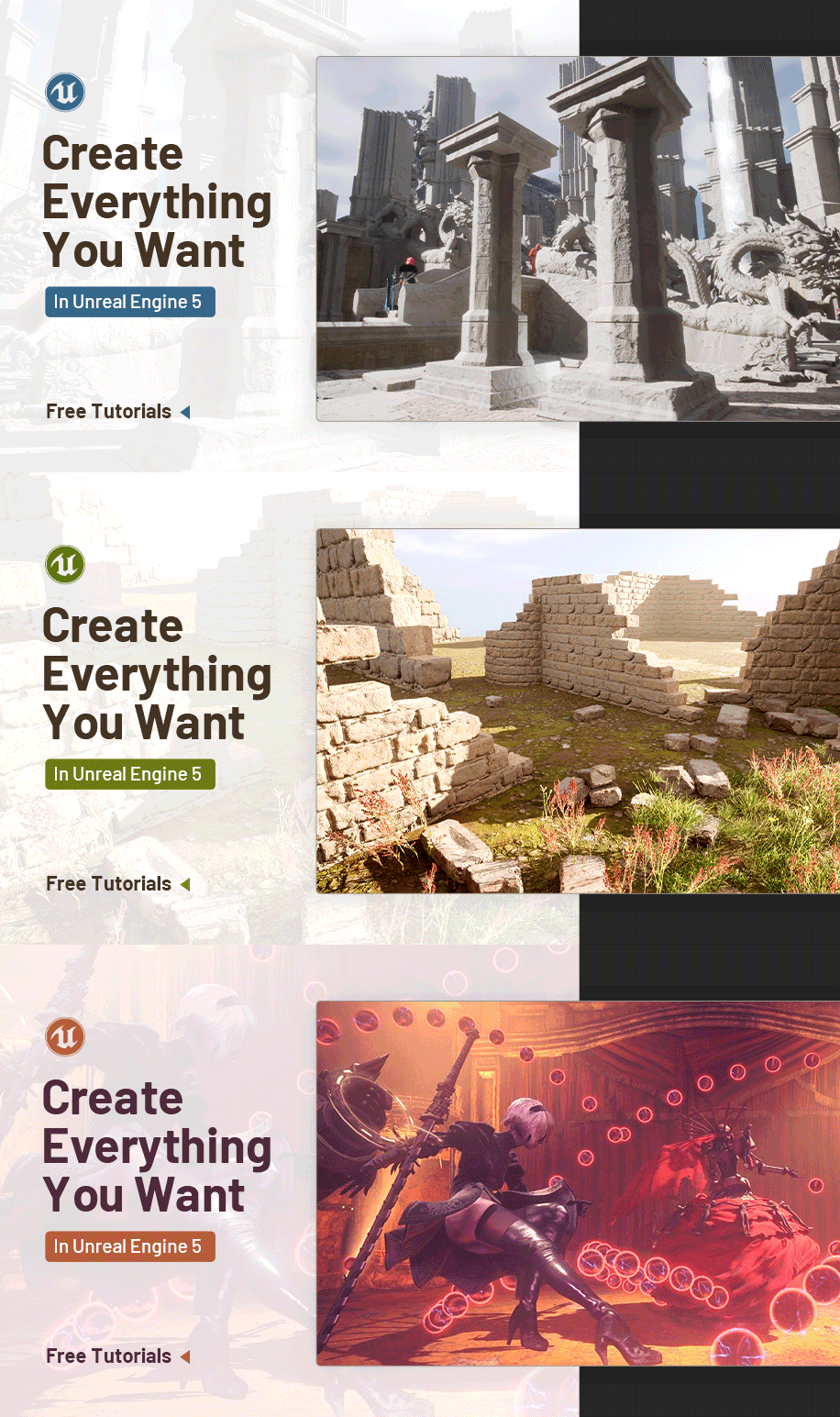
Create Everything You Want in Unreal Engine

Replay
WATCH NEXT FREE LESSON
Preview this course
26,926
English
$0.00 × 1
$4.00 $29.00 87 %off
Buy Now
Add to cart
This course includes:
25
hours video
3
downloadable resource
Lifetime Access
Beginner

Gift this course
Share Get the 18% off
-- : -- : -- : --
Create Everything You Want in Unreal Engine
$4.00 $29.00 87%off
Add to cart
Go to cart
Buy Now
Full Payment
Pre-registeration
Create Everything You Want in Unreal Engine
26,926
English
This course includes:
25
hours video
3
downloadable resource
Lifetime Access
Beginner
Gift this course
Share Get the 18% off
-- : -- : -- : --
215
Lessons
(Finish)
Intro
Trailer
 (1m 21s)
(1m 21s)
1. Complete Landscape Guide to UE5-Free
1_Basics_of_unreal_navigation
(2m 4s)
2_Landscape_Sizes
(9m 19s)
3_WorldPartition_basics
(8m 32s)
4_SculptingBasics
(15m 58s)
5_Gaea_Intro_Viewport
(6m 20s)
6_Basic_Node_Operations
(8m 17s)
7_Combining_Nodes
(7m 49s)
8_Exporting_A_Tiled_Landscape
(6m 39s)
9_landmass
(9m)
10_customizing_our_landscape
(8m 31s)
11_Exporting_with_no_tiles
(4m 48s)
12_Creating_our_Landscape_Material
(14m 27s)
13_Height_Blending
(4m 57s)
14_Creating_Our_Landscape_Palette
(13m 22s)
15_Creating_the_Automatic_Material
(11m 34s)
16_Exporting_Masks_from_Gaea
(8m 22s)
17_Creating_Masks_in_Material_01
(50s)
18_Creating_Masks_in_Material_02
(9m)
19_Blending_Masks_with_height_maps
(4m 30s)
20_Distance_Blending_Setup
(4m 49s)
21_Distance_Blending_Material_Setup
(9m 24s)
22_Enabling_Virtual_texture_support
(2m 42s)
23_Virtual_Heightfield_mesh
(10m 53s)
24_Virtual_heightfield_mesh_color
(7m 40s)
25_Virtual_Texture_resolution
(3m 5s)
26_Procedural_Grass
(10m 1s)
27_Preparing_our_Master_Landscape_Instance
(4m 37s)
28_Creating_Functions
(10m 34s)
29_Creating_a_Library
(2m 35s)
30_Exporting_a_new_terrain
(4m 21s)
31_Creating_a_new_Landscape
(9m 10s)
2. Chaos Destruction in UE5-Free
1_opening_fracture_panel
(1m 14s)
2_Destruction_Hierarchy
(10m 45s)
3_Most_Common_Hotkeys
(3m 4s)
4_Selection_Modes
(4m)
5_Uniform_Fracture
(5m 57s)
6_Clustered_Fracture
(3m 7s)
7_Radial_Fracture
(4m 8s)
8_planar_fracture
(4m 22s)
9_Mesh_Fracture
(4m 34s)
10_Slice_Fracture
(2m 52s)
11_Brick_Fracture
(2m 42s)
12_Cluster_Options
(3m 28s)
13_Collision_Types
(3m 44s)
14_Mass
(1m 32s)
15_Damage_Threshold
(4m 55s)
16_UVs
(3m 17s)
17_Migrating_FIelds_from_Chaos_Demo
(2m 17s)
18_Anchor_Fields
(4m 12s)
19_Cluster_Strain_Field
(5m 48s)
20_Force_and_Strain
(4m 22s)
21_Force_woth_FallOff
(3m 2s)
22_Noise_Field
(3m 51s)
23_Random_Force
(3m 10s)
24_Disable_Field
(3m 5s)
25_Sleeping_Field
(2m 37s)
26_Niagara_Spawn_with_Chaos
(12m 37s)
27_Niagara_with_Gameplay
(6m 37s)
3. Detailing Assets from Zbrush to UE5- Free
0_Intro_catch
(25s)
1_Exporting_our_asset
(2m 26s)
2_Importing_our_column_to_zbrush
(4m 48s)
3_Adding_dynamesh
(3m 34s)
4_Trim_edges
(5m 31s)
5_Trim_speed_sculpt
(18m 57s)
6_Sculpting_tips_for_damaging
(4m 29s)
7_Flakes_speed_sculpt
(3m 47s)
8_Sculpting_with_alphas
(7m 34s)
9_Importing_our_column_to_unreal
(3m 29s)
10_Uving_column
(5m 26s)
11_Wrap_up
(1m 35s)
4. Creating your First Game in UE5-Free
0_Intro
(56s)
1_Intro_navigation
(6m 34s)
2_Modeling_our_platform
(5m 26s)
3_Creating_our_blueprint_platform
(4m 59s)
4_Adding_movement_to_our_platform
(3m 43s)
5_Adding_position_variables
(4m 57s)
6_Adding_splines
(4m 15s)
7_Prototyping_the_level
(2m 43s)
8_Decorating_our_level
(6m 39s)
9_Adding_water
(4m 47s)
10_Make_our_platforms_fall
(4m 39s)
11_Adding_camera_shake
(4m 30s)
12_Creating_a_pause_menu
(8m 34s)
13_Outro
(1m 1s)
5. Introduction to Materials in UE5-Free
1_Intro_pbr
(4m 38s)
2_Metalness_question
(1m 40s)
3_Intro_editor
(8m 28s)
4_Important_nodes_add_mult
(12m 41s)
5_Important_blend_modes
(11m 38s)
6_Creating_our_first_material
(7m 24s)
7_Manipulating_normal_maps
(9m 38s)
8_Creating_material_instance
(6m 20s)
9_Material_Functions
(8m 38s)
10_Question_material_function_parameters
(3m 13s)
11_MaterialParameterCollection
(7m 50s)
12_AdditiveMaterials
(13m 9s)
13_WrapUp
(1m 23s)
6. Modeling Tools in UE5-Free
1_Plugin
(1m 18s)
2_CreatingShapes
(39m 33s)
3_PolyModeling
(18m 37s)
4_TriModel
(16m 56s)
5_Sculpting
(10m 33s)
6_Deformers
(3m 34s)
7_Displace
(6m 11s)
8_Transform
(4m 52s)
9_MeshOps
(7m 14s)
10_VoxelOps
(6m 21s)
11_MaterialGroups
(5m 40s)
12_BakingModels
(8m 39s)
13_UVMapping
(4m 49s)
7. Intro to Niagara for Beginners in UE4-Free
1. Setup
(2m 25s)
2. Creating a Niagara Emitter
(14m 14s)
3. Creating the Spark Material
(4m 9s)
4. Creating our Niagara System
(22m 39s)
5. Flare Material
(6m 33s)
6. Final Touches
(25m 27s)
8. Intro to Creating Environments in UE5-Free
0_1_creating_our_level
(2m 48s)
0_2_creating_our_brick_wall
(3m 9s)
0_3_adding_detail_to_our_brick_wall
(4m 4s)
0_4_creating_the_boolean_mesh
(4m 46s)
0_5_cut_my_meshes
(2m 43s)
0_6_adding_secondary_materials
(1m 37s)
0_7_adding_wall_variations
(4m 54s)
0_8_creating_level_instanced_blueprints
(4m 29s)
0_9_assembling_the_ruins
(4m 9s)
10_painting_ground
(7m 4s)
11_painting_grass
(2m 48s)
12_adding_collision
(2m 25s)
13_brick_simulation
(6m 11s)
14_finishing_touches
(4m 49s)
9. Breast Physics Tutorial in UE5-Free
00 - Introduction
(43s)
01 - Defining jiggle physics
(1m 56s)
02 - Requirements for jiggle physics
(34s)
03 - Create the project
(54s)
04 - Importing the character
(2m 24s)
05 - Introducing the Physics Asset Editor in Persona
(6m 49s)
06 - Creating the breast physics body and constraint
(7m 25s)
07 - Tweaking the body and constraint settings
(10m 8s)
08 - Mirroring the work done
(2m 41s)
09 - Showing different examples depending on what your game needs
(9m 22s)
10. Creating a First Person Shooter in UE5-Free
00 - Intro
(1m 6s)
01 - Defining the core elements of the shooter
(4m 39s)
02 - Defining the game we are going to develop
(1m 46s)
03 - Developing the character mechanics and the 3Cs
(6m 46s)
04 - Project Creation
(4m 23s)
05 - Blueprints basics and adding a double jump
(10m 30s)
06 - Add camera shake twhile moving and landing
(12m 49s)
07 - Add sprint ability to our character
(12m 41s)
08 - Add a crosshair to our hud
(9m 11s)
09 - Line trace to simulate bullets
(12m 11s)
10 - Spawning an explosion to where the bullet hit
(5m 51s)
11 - Creating the game mode and the state of the game
(12m 51s)
12 - Create the goal blueprint and set up the win condition for our game
(11m 40s)
13 - Creation of the intel blueprint and its interaction
(17m 8s)
14 - Checking if all the intel is gathered in order to win
(16m 54s)
15 - Creating the guard
(8m 38s)
16 - Guard movement
(12m 14s)
17 - Guard Patrol behavior
(13m 34s)
18 - Making the guard see us and stopping the patrol action
(19m)
19 - Guard ability to report us and make us lose the game
(15m 59s)
20 - Losing sight of the main character
(5m 42s)
21 - Guard looking for the player state
(9m 52s)
22 - Adding a text renderer to let the player know the guard state
(5m 53s)
23 - Learning to the debug logic in the Guard
(16m 8s)
24 - Shooting the guard
(17m 41s)
25 - Fixing patrol location bug
(3m 36s)
26 - Creating the map and teaching the basic mechanics
(23m 7s)
27 - Finishing the map and testing the game
(15m 45s)
11. Animation Blueprint for Beginners-Free
00 - Intro Animation Blueprint for beginners
(1m 5s)
01 - Importing the character
(11m 57s)
02 - AnimBP and retarget
(24m 2s)
03 - State Machines
(22m 52s)
04 - Blendspaces
(15m 25s)
05 - Adding an attack with anim montages
(15m 17s)
06 - Conclusion
(1m 37s)
12. Blueprint Communication in UE5-Free
00 Blueprint Communication - Overview
(5m 28s)
01 Blueprint Communication - Direct
(22m 19s)
02 Blueprint Communication - Interface
(32m 19s)
03 Blueprint Communication - Event Dispatchers
(31m 38s)
04 Blueprint Communication - Summary
(8m 27s)
13. Niagara for Beginners Recreating the Orb of Nier Automata in UE4-Free
01 Introduction
(41s)
02Concept in Photoshop
(3m 33s)
03Materials Opaque Core and Fresnel
(9m 23s)
04Lightning Materials
(15m 5s)
05Lightning Materials Tweaks
(5m 36s)
06Niagara System
(17m 1s)
14. Intro to Blueprints in UE5-Free
00-00 Brief Introduction to Unreal Engine
(4m 42s)
00-01 Brief Introduction to Blueprints
(5m 16s)
01-00 Blueprint Creation
(4m 24s)
01-01 Blueprint Editor Tabs
(2m 30s)
01-02 Elements - Menu
(2m 12s)
01-03 Elements - Toolbar
(7m 50s)
01-04 Elements - Components
(6m 11s)
01-05 Elements MyBlueprint panel
(5m 34s)
01-06 Elements - Details panel
(4m 36s)
02-00 Construction Script
(14m 4s)
02-01 Event Graph - Events
(6m 42s)
02-02 Event Graph - Custom Events
(4m 39s)
02-03 Event Graph - Functions
(2m 31s)
02-04 Event Graph - Events and Functions
(12m 33s)
02-05 Frequent Events - Begin Play
(2m 38s)
02-06 Frequent Events - Tick
(8m 37s)
02-07 Ways to control the time of execution - Delays
(3m 45s)
02-08 Ways to control the time of execution - Timers
(7m)
02-09 Ways to control the time of execution - Timelines
(16m 27s)
02-10 Ways to control the execution flow - Branches
(8m 49s)
02-11 Ways to control the execution flow - Sequences
(3m 16s)
02-12 Ways to control the execution flow - Flip Flop
(3m 11s)
02-13 Ways to control the execution flow - Do Once N
(5m 44s)
02-14 Ways to control the execution flow - Gates
(3m 46s)
02-15 Ways to control the execution flow - Loops
(14m 25s)
02-16 Ways to control the execution flow - Coin Spawn Clean Up
(5m 28s)
02-17 Common Data Structures - Enums
(11m 19s)
02-18 Common Data Structures - Structures
(8m)
02-19 Common Data Structures - Data Table
(9m 53s)
You must be purchased to post a comment.
Buy Now !
Start a Conversation
Ask a Question
Share a Project
Cancel
Post
There are no discussions for this course.
Buy now and unlock more
Go to see all discussions
Lecturer
Ram/Mauriccio/Andrei
Artist
Ram is an Unreal Authorized Instructor by Epic Games; Mao is a professional 3D artist for video games who has worked on Ubisoft where he contributed to titles like Skull and Bones and Immortal Fenyx Rising - Myths of the Eastern Realm; Andrei is a professional VFX artist working in the video game industry.
Please select the mode you want
Single
$
3 people
$x3
$4.00
$29.00
Add to cart
Go to cart
Buy Now
