


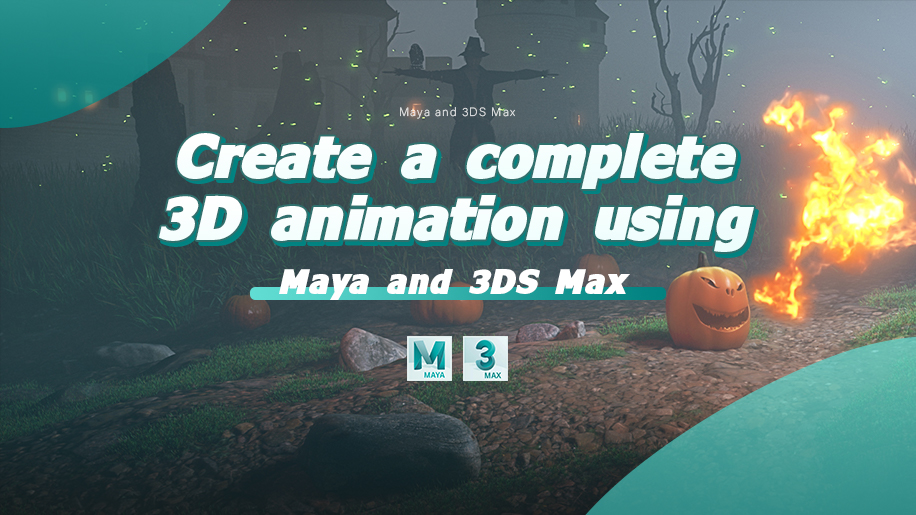
Create a complete 3D animation using Maya and 3DS Max

Replay
WATCH NEXT FREE LESSON
Preview this course
2,855
English
$0.00 × 1
$99.00 $169.00 42 %off
$0.00 ×
1
$94.05
Buy Now
Add to cart
This course includes:
23
hours video
1
downloadable resource
Lifetime Access
Intermediate


Gift this course
Share Get the 18% off
-- : -- : -- : --
Create a complete 3D animation using Maya and 3DS Max
$99.00 $169.00 42%off
Plus's Price $94.05
Add to cart
Go to cart
Buy Now
Full Payment
Pre-registeration
Create a complete 3D animation using Maya and 3DS Max
2,855
English
This course includes:
23
hours video
1
downloadable resource
Lifetime Access
Intermediate
Gift this course
Share Get the 18% off
-- : -- : -- : --
182
Lessons
(Finish)
Intro
Trailer
 (4m 48s)
(4m 48s)
Chapter1:Modeling the Main Character in Zbrush
01 - Quick introduction to Zbrush
(10m 13s)
02 - Matching the reference and adding more details
(7m 19s)
03 - Adding noise layers
(3m 52s)
04 - Adding the face
(10m 30s)
05 - Export the model to retopologize
(1m 15s)
06 - Retopologize the eyes and the nose
(4m 22s)
07 - Retopologize the mouth and the jaw
(6m 10s)
08 - Retopologize the stem
(2m 5s)
09 - Connect the different parts of the face
(8m 20s)
10 - Retopologize the back of the character
(6m 17s)
11 - Fixing the eye rings
(4m 55s)
12 - Adding the teeth
(7m 8s)
13 - Adding the details back to our model
(7m 56s)
14 - Adding the thickness
(10m 7s)
15 - Refine the overallmodel and break the symmetry
(5m 36s)
16 - Adding the micro details to the model
(9m 43s)
17 - UV Unwrap the Model using Zbrush or Maya
(14m 53s)
18 - Global Tweaking to the overall model
(2m 16s)
19 -Zbrush polypainting - Prepare the colors
(3m 17s)
20 - Zbrush polypainting - Body
(9m 53s)
21 - Zbrush polypainting - Stem
(4m 14s)
22 - Zbrush polypainting - adding imperfections
(2m 5s)
23 - Zbrush polypainting - working on the inside
(3m 13s)
24 - Zbrush polypainting - teeth
(1m 18s)
25 - Zbrush polypainting - Stem enhancement
(20m 22s)
26 -Adding the eyes and finishing the Polypainting
(14m 8s)
27 - Export the different maps
(11m 53s)
28 - Import to 3DS max and set the Displacement using Vray
(15m 16s)
Chapter2:Environment Kitbaching
1 - Add the terrain
(11m 30s)
2 - Populate the scene with background pumpkins
(4m 17s)
3 - Vray hair and fur for grass overview
(4m 17s)
4 - Manage the scene - Animating the camera - Adding the atmosphere
(12m 49s)
5 - Populate the scene and push it further
(5m 50s)
6 - Adding the crawling insect
(13m 31s)
7 - Tweaking the crawling insect
(9m 35s)
8- Adding the crow - Planning the scene animation
(8m 15s)
9 - Introduction To Tyflow
(25m 57s)
10 - Particles VS Physics nodes
(12m 23s)
11 - Spawn-Voronoi-MaterID-Slow and Force
(32m 4s)
12 - Import the animated background insect
(9m 41s)
13 - Start working with TyFlow to animate the background insects
(9m 54s)
14 - Background insect optimization
(6m 32s)
15 - Import the animated bat
(6m 11s)
16 - Animating the cloud of bats
(5m 49s)
17 - Add life to the could of bats
(10m 57s)
18 - Animating the butterfly prey
(5m 47s)
19 - Animating The dying bat 01
(6m 51s)
20 - Animating The dying bat 02
(9m 13s)
21 - Export the scene to Maya
(8m 19s)
Chapter3:Rigging the body
1 - Planning the body rigging
(5m 20s)
2 - Global rigging of the body
(11m 25s)
3 - Establishing the hierarchy
(3m 38s)
4 - Start working on the Weight Painting
(15m 56s)
5 - Eyes sockets and other elements Weight Painting
(10m 7s)
6 - Nose Weight Painting
(5m 41s)
7 - Jaw Weight Painting
(13m 14s)
8 - Stem Weight Painting
(11m 22s)
9 - Adding the CTRLs
(6m 59s)
10 - Connecting the CTRLs
(9m 49s)
11 - Adding Squash _ Stretch
(17m 46s)
12 - Set up the Global scale
(4m 3s)
13 - Insert the teeth
(12m 10s)
14 - Eyes Rigging
(19m 18s)
15 - Fixing the teeth mistake
(6m 10s)
16 - Stem hybrid setup
(21m 33s)
17 - Rig testing - Dynamic properties tweaking
(3m 50s)
Chapter4:Facial Rigging in Maya
1 - Planning the face rigging
(3m 51s)
2 - Facial rigging Must know
(2m 50s)
3 - Mouth rigging 01
(18m)
4 - Mouth rigging 02
(18m 41s)
5 - Manage the scene and add the global-scaling for teeth
(4m 14s)
6 - Lip sealing
(24m 33s)
7 - Lip sealing - Add extra tweakers
(7m 23s)
8 - Lip sealing - Connect it to the mesh
(15m 12s)
9 - Eyebrow Rigging
(15m 42s)
10 - Eyebrows CTRLs
(24m 11s)
11 - Eyelid Rigging part 01
(25m 56s)
12 - Eyelid Rigging part 02
(29m 33s)
13 - Blendshapes - Correctives
(29m 18s)
14 - Finishing the Rig
(13m 19s)
Chapter5:3D Animation in Maya & Flipbook
1 - Planning for the animation
(5m 53s)
2 - Drawing vs 3D blocking part 2
(8m 45s)
3 - Reference is king part 1
(6m 1s)
4 - Flipbook - Shot01 - Drawing the keyposes
(10m 50s)
5 - Flipbook - Shot01 - part 01
(15m 11s)
6 - Flipbook - Shot01 - part 02
(10m 30s)
7 - Shot 01 Final Result
(3m 5s)
8 - Flipbook - Shot02 - part 01
(4m 32s)
9 - Flipbook - Shot02 - part 02
(9m 11s)
10 - Shot 02 Final Result
(13m 23s)
11 - Flipbook - Shot03
(19m 13s)
12 - Shot 03 Final Result
(6m 22s)
1 - Make the scene ready for animation
(15m 26s)
2 -Animating shot - 01 - part 01
(30m 38s)
3 - Animating shot - 01 - part 02
(29m 57s)
4 - Animating shot - 02
(13m 36s)
5 - Animating shot - 03 - part 01
(27m 52s)
6 - Animating shot - 03 - part 02
(25m 40s)
7 - Animating shot - 04
(28m 27s)
8 - Animating shot - 05
(10m 48s)
9 - Animating shot - 06
(26m 50s)
10 - Quick polishing - Depends on the time factor -
(26m 23s)
Export the animation from Maya to 3DS Max
(12m 13s)
Chapter6:VFX & Rendering using 3DS Max & Vray5
1 - Make the scene ready for Dynamics
(14m 16s)
2 - Fireball
(26m 54s)
3 - Burning the bat
(36m 9s)
4 - Burning the forest
(31m 29s)
1 -Fireflies
(13m 6s)
2 -Magic Butterfly
(17m 44s)
3 - Pumpkin
(29m 12s)
4 - Environment
(31m 12s)
5 - Forest Fire
(12m 31s)
6 - Lightening
(33m 5s)
1 - Before hitting the render button
(30m 58s)
2 -Render an animation sequence
(2m 51s)
1 - Thrown into fire scene
(30m 5s)
2 - Running with fire
(20m 41s)
3 - Bring the bonus animation to 3DS Max
(16m 32s)
4 - Set the bat_s butt on fire!
(16m 51s)
1 - Compositing overview
(15m 54s)
2 - Audio overview
(10m 5s)
Chapter7:Bonus
01 - Introduction To Tyflow
(25m 57s)
02 - Particles VS Physics nodes
(12m 23s)
03 - Spawn-Voronoi-MaterID-Slow and Force
(32m 4s)
1 - PhoenixFD_Source
(13m 8s)
2 - PhoenixFD_Grid_OtherFeatures_Fix
(26m 16s)
Quick Introduction to FlipBook_x264
(5m 36s)
Phoenix FDDraw on Sphere in Maya_x264
(2m 56s)
You must be purchased to post a comment.
Buy Now !
Start a Conversation
Ask a Question
Share a Project
Cancel
Post
There are no discussions for this course.
Buy now and unlock more
Go to see all discussions
Lecturer
CgChamaleon
Please select the mode you want
Single
$
3 people
$x3
$99.00
$94.05
Add to cart
Go to cart
Buy Now
