


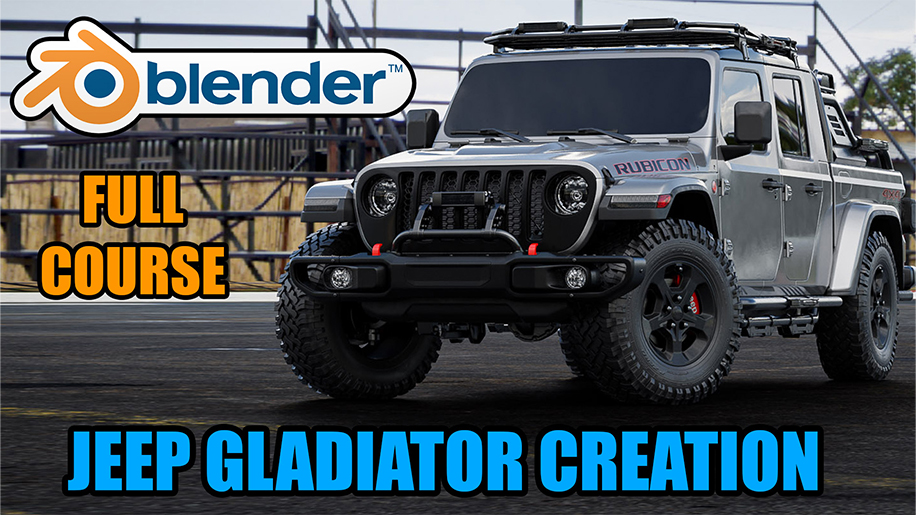
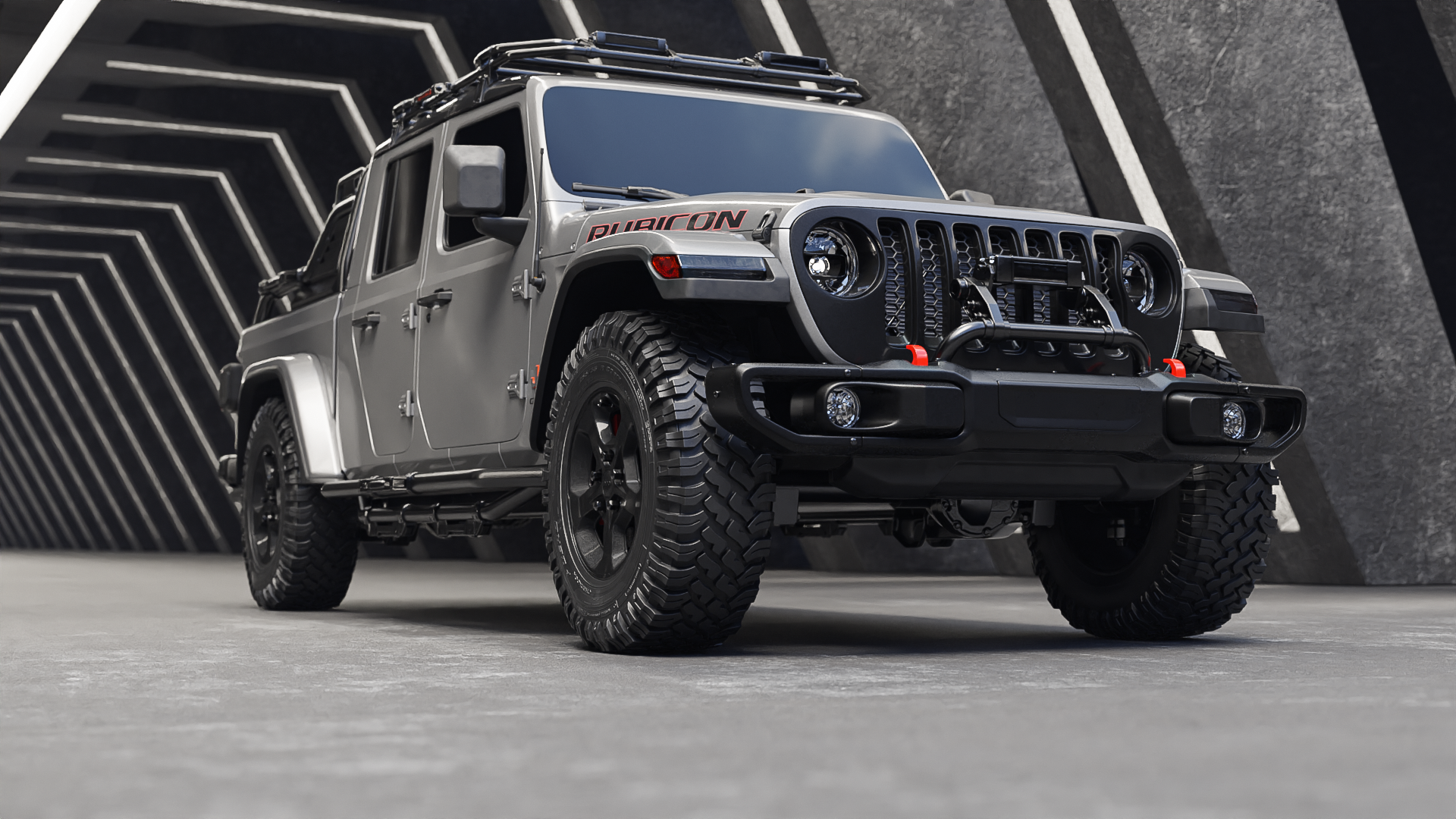
BLENDER:Learn how to create Jeep Gladiator from A to Z
Lecturer:
marwan_hussein
Lessons:
199/89h
(Finish)

Replay
WATCH NEXT FREE LESSON
Preview this course
942
English
This course includes:
89
hours video
1
downloadable resource
Lifetime Access
Beginner
Intermediate
Advanced
Beginner/Intermediate
Beginner/Advanced
Intermediate/Advanced
Beginner/Intermediate/Advanced

Gift this course
Share Get the 18% off
-- : -- : -- : --
BLENDER:Learn how to create Jeep Gladiator from A to Z
Parameter
Detail
Case
Students
Lecturer
Contents
Resources
Discussions
BLENDER:Learn how to create Jeep Gladiator from A to Z
942
English
Lecturer:
marwan_hussein
Lessons:
199/89h
(Finish)
This course includes:
89
hours video
1
downloadable resource
Lifetime Access
Beginner
Intermediate
Advanced
Beginner/Intermediate
Beginner/Advanced
Intermediate/Advanced
Beginner/Intermediate/Advanced
Gift this course
Share Get the 18% off
-- : -- : -- : --
Parameter
Detail
Case
Students
Lecturer
Contents
Resources
Discussions
Parameter
Level
Beginner
Intermediate
Advanced
Beginner/Intermediate
Beginner/Advanced
Intermediate/Advanced
Beginner/Intermediate/Advanced
Lessons
199/89h
(Finish)
Duration
89
hours
Category
CG | VFX
Language
English
Last updated
2023-05-22
Overview
About this course
What will you learn
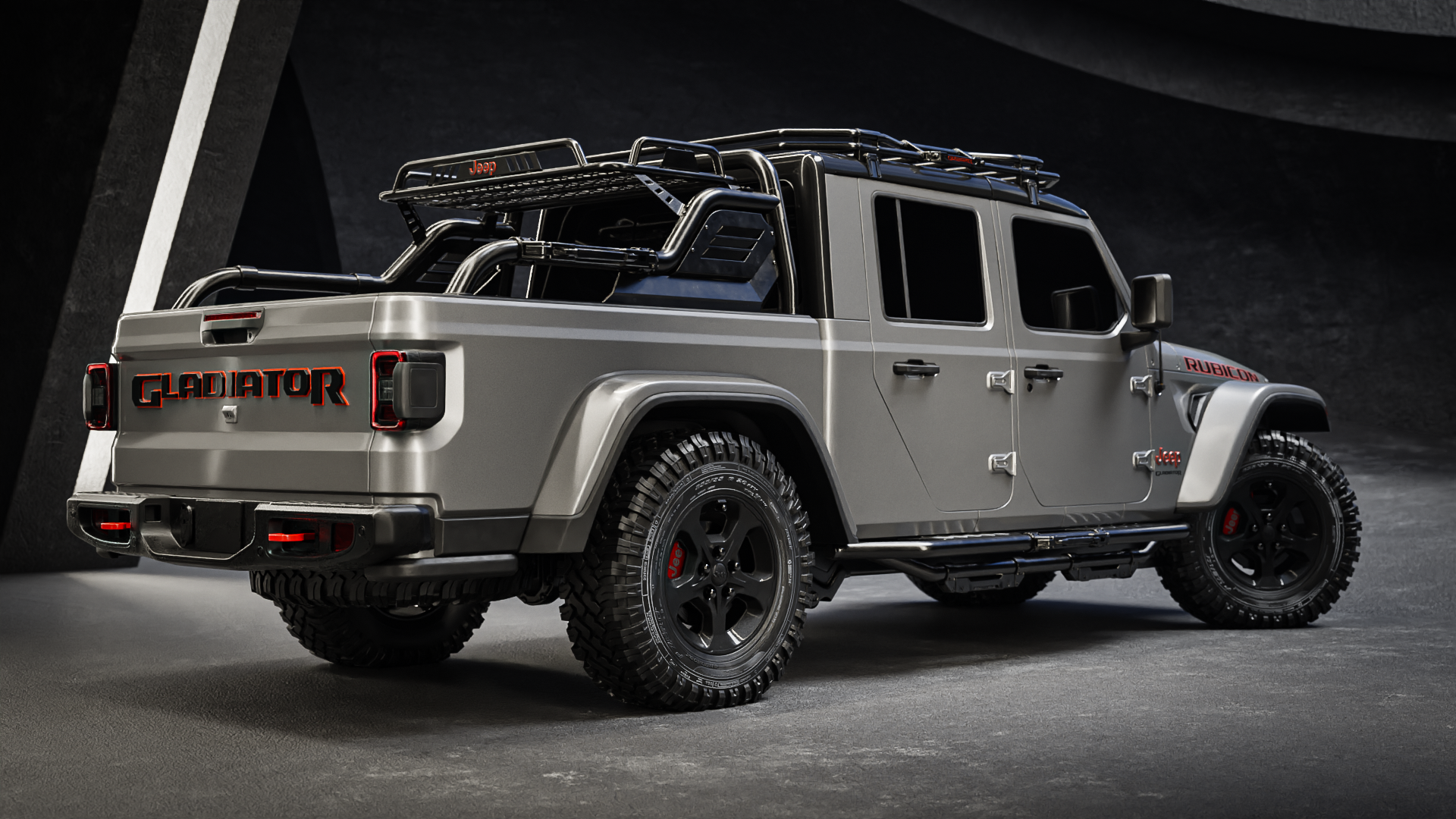
How to create a complex 3D model of the Jeep Gladiator using Blender.
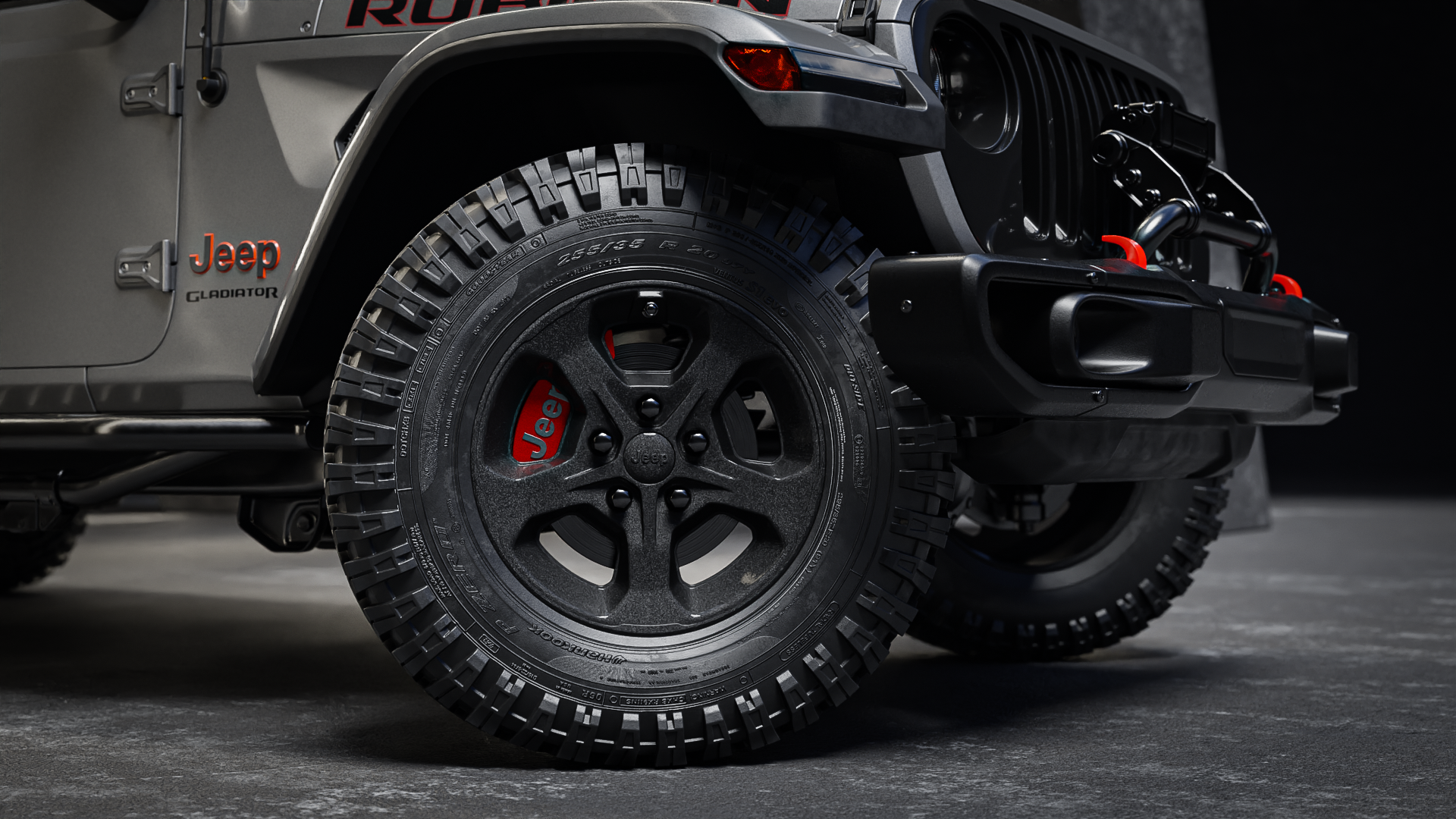
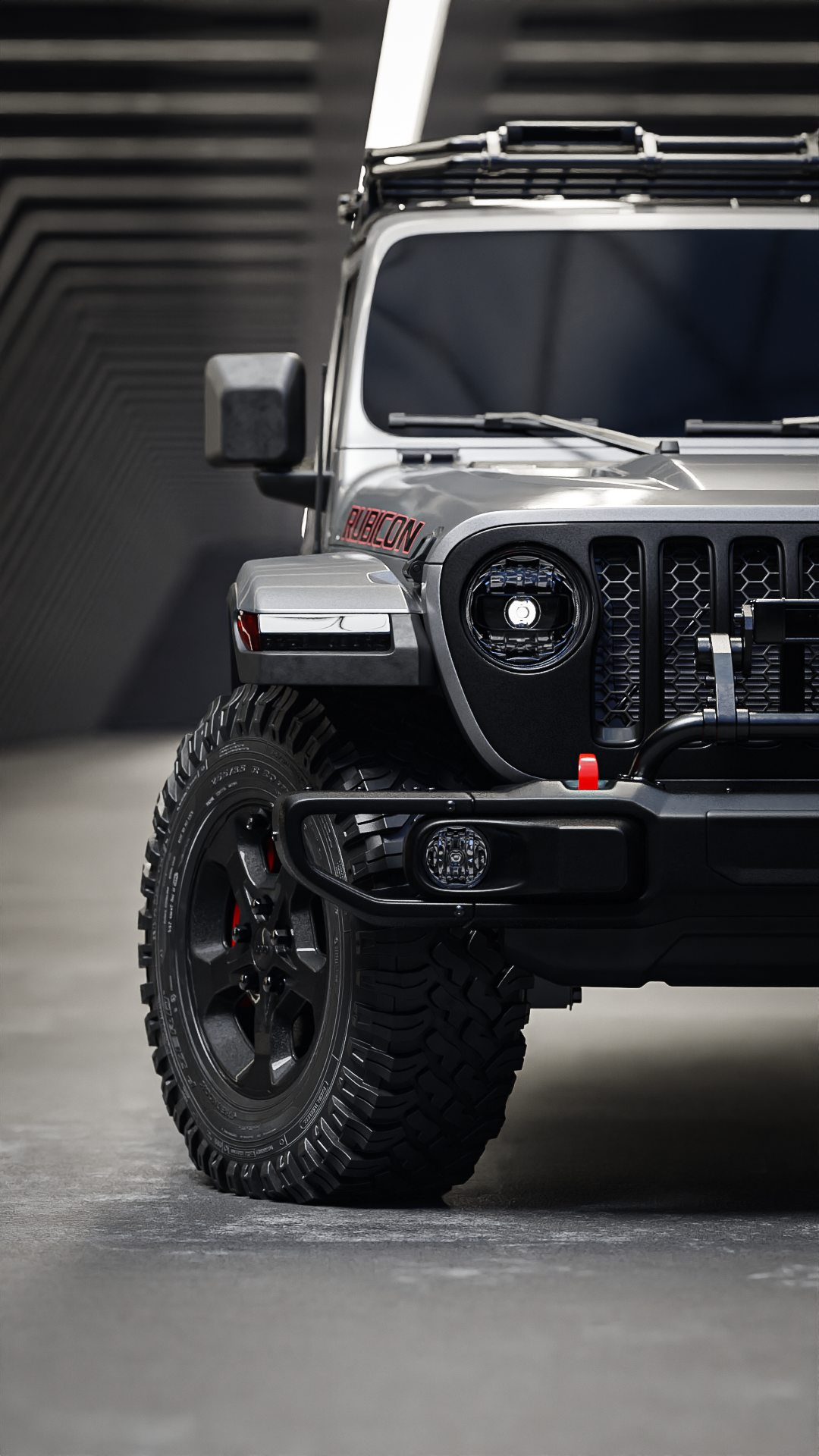
Techniques for modeling realistic details and textures, such as the wheels, grill, and headlights.
How to create and apply realistic materials to your 3D model, including metal, plastic, and glass.
Tips for lighting and rendering your model to create stunning, photorealistic images.
Best practices for working with Blender's 3D modeling tools and user interface.
How to use efficient and streamlined methods to create complex objects with ease.
Case

Students
Intermediate to advanced 3D artists who want to take their skills to the next level and learn advanced modeling techniques.
Professionals or students in the fields of architecture, product design, or entertainment who want to create realistic 3D models for their projects.
3D enthusiasts who want to learn how to create complex 3D models using Blender.
Anyone interested in 3D modeling and looking for a comprehensive course that covers all aspects of the modeling process.
Lecturer
marwan_hussein
Marwan is a professional Blender artist with over 9 years of experience in 3D and 2D art. He creates stunning visual art using Blender and traditional painting techniques, aiming to convey a powerful message through his work. Marwan has created over 13 professional courses on Blender, sharing his expertise and knowledge with others. His exceptional skills and dedication to his craft make him a valuable asset to any project.
Contents
199
Lessons (Finish)
Chapter 1_ The intro
001_The Intro.mp4
 (2m 21s)
(2m 21s)
002_Before you start.mp4
(3m 47s)
(3m 47s)
Chapter 2_ The Modeling
003_Adding The Reference Images.mp4
(21m 46s)
(21m 46s)
004_Creating the Grilles with the head lights.mp4
(40m 21s)
(40m 21s)
005_Adding the inner rims of the grilles and the pattern.mp4
(31m 5s)
(31m 5s)
006_Creating the headlight details part 1.mp4
(26m 47s)
(26m 47s)
007_Creating the headlight details part 2.mp4
(33m 59s)
(33m 59s)
008_Completing the headlight and starting with the fender.mp4
(15m 44s)
(15m 44s)
009_Creating the fender base.mp4
(34m 44s)
(34m 44s)
010_Modeling the Hood.mp4
(50m 55s)
(50m 55s)
011_Modeling the Hood part 2.mp4
(31m 37s)
(31m 37s)
012_Fixing some issues with the Hood.mp4
(14m 37s)
(14m 37s)
013_Modeling the Hood Vents.mp4
(32m 45s)
(32m 45s)
014_Starting with the front Bumper.mp4
(41m 24s)
(41m 24s)
015_Starting with the front Bumper part 2.mp4
(36m 36s)
(36m 36s)
016_Optional video to watch ( fixing some issues with the Bumper ).mp4
(11m 27s)
(11m 27s)
017_Creating the Bumber lights cover.mp4
(21m 28s)
(21m 28s)
018_Creating the bumper front cover and give it a thickness.mp4
(27m 43s)
(27m 43s)
019_Bending the bumper and creating the Hook.mp4
(18m 50s)
(18m 50s)
020_Creating a cover behind the bumper.mp4
(17m 56s)
(17m 56s)
020_Creating a cover behind the bumper.mp4
(17m 56s)
(17m 56s)
021_Creating the bumper's bottom cover.mp4
(27m 21s)
(27m 21s)
022_Starting with the fender.mp4
(34m 25s)
(34m 25s)
024_Adding details for the Fender cover.mp4
(36m 11s)
(36m 11s)
025_Using Shrinkwrap modifier to fix the fender's shading issue.mp4
(8m 23s)
(8m 23s)
026_Finishing the Fender frame.mp4
(27m 31s)
(27m 31s)
027_Starting with Fender front light.mp4
(27m 46s)
(27m 46s)
028_Finishing the back buckets of the light.mp4
(6m 42s)
(6m 42s)
029_Creating the reflector light.mp4
(30m 43s)
(30m 43s)
030_Creating fender vents.mp4
(34m 3s)
(34m 3s)
031_Creating the fender vents pattern.mp4
(27m)
(27m)
032_Making some tweaks for the fender.mp4
(19m 13s)
(19m 13s)
033_Starting with the top area of the Fender.mp4
(32m 41s)
(32m 41s)
034_Creating the windshield base panel.mp4
(40m 33s)
(40m 33s)
035_Creating the wiper base panel.mp4
(39m 31s)
(39m 31s)
036_Creating the Wiper base hatch.mp4
(23m 51s)
(23m 51s)
037_Modeling the wiper panel.mp4
(29m 27s)
(29m 27s)
038_Modeling the wiper panel part 2.mp4
(51m 45s)
(51m 45s)
039_Finishing the modeling of the wipers panel.mp4
(27m 44s)
(27m 44s)
040_Creating pattern for the wipers panel.mp4
(37m 50s)
(37m 50s)
041_Creating the Hood Hinge.mp4
(45m 30s)
(45m 30s)
042_Shrinkwrap the Hood hinge on the hood and creating the head screw.mp4
(18m 54s)
(18m 54s)
043_Creating the windshield hold down rubber.mp4
(28m 50s)
(28m 50s)
044_Starting with the Hood Latch part 1.mp4
(32m 20s)
(32m 20s)
045_Finishing the Hood Latch.mp4
(36m 41s)
(36m 41s)
046_making some changes for the Hood and the Hood latch.mp4
(27m 7s)
(27m 7s)
047_Putting the Hood Latch in place and use Data Transfer to fix the shading pro.mp4
(27m 16s)
(27m 16s)
048_Starting with the windshield.mp4
(40m 8s)
(40m 8s)
049_Completing the frame and creating the windshield glass.mp4
(37m 20s)
(37m 20s)
050_Creating the doors panel.mp4
(24m 49s)
(24m 49s)
051_Starting with the front door.mp4
(36m 10s)
(36m 10s)
052_Starting with the door part 2.mp4
(39m 31s)
(39m 31s)
053_Modeling the front door part 3.mp4
(25m 9s)
(25m 9s)
054_Modeling the Handle and the door hinges bases.mp4
(28m 6s)
(28m 6s)
055_Creating and editing the door hinges.mp4
(37m 48s)
(37m 48s)
056_Creating the door handle.mp4
(44m 34s)
(44m 34s)
057_Modeling the door lock and the handle pad.mp4
(21m 9s)
(21m 9s)
058_Focusing on the back side of the cabin.mp4
(31m 57s)
(31m 57s)
059_Modeling the rear windshield frame.mp4
(42m 13s)
(42m 13s)
060_Creating the rear windshield rubber frame with the small middle window.mp4
(29m 43s)
(29m 43s)
061_Completing the rear side of the cabin.mp4
(19m 26s)
(19m 26s)
062_Starting with the rear left door.mp4
(46m 55s)
(46m 55s)
063_Fixing some shading issues and creating the door hinges bases.mp4
(34m 13s)
(34m 13s)
064_Finishing the doors.mp4
(34m 31s)
(34m 31s)
065_Starting with the roof.mp4
(30m 1s)
(30m 1s)
066_Starting with the roof part 2.mp4
(36m 3s)
(36m 3s)
067_Adding Bevel to the sharp edges and creating the top panels.mp4
(32m 51s)
(32m 51s)
068_Adding panels for the front side of the roof.mp4
(22m 40s)
(22m 40s)
069_Creating the front door glass and the rubber frame.mp4
(31m 53s)
(31m 53s)
070_Creating the Back driver side door's glass and rubber frame.mp4
(10m 32s)
(10m 32s)
071_Starting with the truck bed.mp4
(39m 25s)
(39m 25s)
072_Starting with the truck bed part 1.mp4
(28m 45s)
(28m 45s)
073_Adding a bevel modifier to the truck bed and fix all the shading issues.mp4
(34m 42s)
(34m 42s)
074_Starting with the rear fender.mp4
(23m 47s)
(23m 47s)
075_Starting with the rear fender part 2.mp4
(31m 37s)
(31m 37s)
076_Starting with truck bed door.mp4
(33m 28s)
(33m 28s)
077_Creating the truck bed door handle.mp4
(39m 13s)
(39m 13s)
078_Starting with the rear bumper part 1.mp4
(42m 45s)
(42m 45s)
079_Modeling the rear bumper part 2.mp4
(41m 33s)
(41m 33s)
080_Creating the foot step of the rear bumper.mp4
(26m 17s)
(26m 17s)
081_Creating the foot step pattern.mp4
(30m 36s)
(30m 36s)
082_Modeling the rear bumper hook.mp4
(17m 47s)
(17m 47s)
083_Creating the tail light and the license light cover for the rear bumper.mp4
(24m 1s)
(24m 1s)
084_Creating the rear fender tail and the bumper Parking Assist Sensor.mp4
(23m 37s)
(23m 37s)
085_Modeling the trailer plug part 1.mp4
(29m 41s)
(29m 41s)
086_Creating the trailer plug part 2.mp4
(22m 54s)
(22m 54s)
087_Starting with the tail light.mp4
(28m 23s)
(28m 23s)
088_Adding more details for the tail light.mp4
(37m 37s)
(37m 37s)
089_Finishing the tail light.mp4
(42m 13s)
(42m 13s)
090_Starting with the bed interior.mp4
(24m 7s)
(24m 7s)
091_Modeling the bed interior part 2.mp4
(29m 34s)
(29m 34s)
092_Making some tweaks for the bed and creating bed rail cover plastic.mp4
(32m 32s)
(32m 32s)
093_Truck bed tweaking part 2.mp4
(27m 7s)
(27m 7s)
094_Truck bed tweaking part 3.mp4
(17m 51s)
(17m 51s)
095_Adding new panel at the end of the bed floor.mp4
(16m 50s)
(16m 50s)
096_Blocking the left side of the bed.mp4
(28m 32s)
(28m 32s)
097_Completing the left side of the truck bed.mp4
(31m 25s)
(31m 25s)
098_Finishing the left side of the truck bed.mp4
(26m 43s)
(26m 43s)
099_Finishing the left side of the bed part 2.mp4
(21m 49s)
(21m 49s)
100_Finishing the right side of the truck bed.mp4
(33m 10s)
(33m 10s)
101_Fixing the corner of the left side of the bed.mp4
(10m 25s)
(10m 25s)
102_Creating the truck bed tie down hook.mp4
(21m 56s)
(21m 56s)
103_Starting with the truck bed door details.mp4
(46m 9s)
(46m 9s)
104_Creating the truck bed door details from inside.mp4
(27m 39s)
(27m 39s)
105_Making some tweaking to the truck bed floor.mp4
(17m 6s)
(17m 6s)
106_Creating the panel underneath the truck bed with some adjustment to the rear.mp4
(17m 38s)
(17m 38s)
107_Creating the windshield hinges.mp4
(14m 13s)
(14m 13s)
108_Starting with the windshield wipers.mp4
(40m 46s)
(40m 46s)
109_Creating the windshield wiper's rubber holder.mp4
(28m 29s)
(28m 29s)
110_Putting the Windshield wipers in the place.mp4
(33m 45s)
(33m 45s)
111_Using shrinkwrap modifier on the windshield wipers.mp4
(16m 28s)
(16m 28s)
112_Creating the hood vents pattern.mp4
(41m 12s)
(41m 12s)
113_Creating the truck bed rubber panel.mp4
(7m 12s)
(7m 12s)
114_Starting the Doors mirrors.mp4
(35m 46s)
(35m 46s)
115_Creating the doors mirrors arms.mp4
(14m 34s)
(14m 34s)
116_Closing the gap between the panels.mp4
(25m 24s)
(25m 24s)
117_Closing the gap between the panels part 2.mp4
(24m 13s)
(24m 13s)
118_Mirroring the objects.mp4
(15m 34s)
(15m 34s)
119_Starting with the wheels part 1.mp4
(44m 2s)
(44m 2s)
120_Starting with the wheels part 2.mp4
(47m 45s)
(47m 45s)
121_Modeling the tire.mp4
(39m 48s)
(39m 48s)
122_Modeling the tire part 2.mp4
(39m 27s)
(39m 27s)
123_Modeling the tire part 3.mp4
(21m 38s)
(21m 38s)
124_ preparing and adding the array and simple deform mod to the tire.mp4
(21m 19s)
(21m 19s)
125_Finishing the tire.mp4
(38m 6s)
(38m 6s)
126_Creating the Jeep logo in the middle of the wheel.mp4
(31m 15s)
(31m 15s)
127_Creating the wheel bolts.mp4
(15m 29s)
(15m 29s)
128_Creating air valve caps.mp4
(12m 38s)
(12m 38s)
129_Creating the brakes disk.mp4
(12m 45s)
(12m 45s)
130_Modeling the disk caliper.mp4
(19m 13s)
(19m 13s)
131_Starting with the chassi.mp4
(20m 5s)
(20m 5s)
132_Adding details for the chassis.mp4
(29m 37s)
(29m 37s)
133_Adding more details for the chassis part2.mp4
(28m 28s)
(28m 28s)
134_Adding more details for the chassis part3.mp4
(17m 41s)
(17m 41s)
135_Modeling the front fender liner.mp4
(37m 25s)
(37m 25s)
136_Modeling the front fender liner part 2.mp4
(37m 39s)
(37m 39s)
137_Making some tweaks.mp4
(20m 18s)
(20m 18s)
138_Modeling the rear fender liner.mp4
(28m 9s)
(28m 9s)
139_Starting with the Axel.mp4
(37m 11s)
(37m 11s)
140_Starting with the Axel par 2.mp4
(31m 20s)
(31m 20s)
141_Modeling the axel details part 3.mp4
(23m 46s)
(23m 46s)
142_Starting the axel housing part 4.mp4
(40m 27s)
(40m 27s)
143_Modeling the axel housing part 5.mp4
(40m 41s)
(40m 41s)
144_Prepering the axel housing for the subdivision surface part 6.mp4
(35m 56s)
(35m 56s)
145_Moving the axle to the correct position and creating the spring.mp4
(23m 30s)
(23m 30s)
146_Adding more important details to the chassis and mirror them.mp4
(31m 9s)
(31m 9s)
147_Making some tweaking for the axel and create the jeep logo .mp4
(26m 44s)
(26m 44s)
148_Creating the rear axle hinge.mp4
(30m 37s)
(30m 37s)
149_Copying the front axle to the rear side and make some changes.mp4
(13m 25s)
(13m 25s)
150_Creating cargo carrier above the truck bed.mp4
(39m 19s)
(39m 19s)
151_creating cargo carrier above the truck bed par 2.mp4
(11m 35s)
(11m 35s)
152_Creating the cargo carrier above the truck bed part 3.mp4
(37m 24s)
(37m 24s)
153_Adding more details for the cargo carrier part 4.mp4
(31m 6s)
(31m 6s)
154_Adding welding effect.mp4
(22m 5s)
(22m 5s)
155_Finishing the cargo carrier.mp4
(38m 21s)
(38m 21s)
156_Starting with the doors side steps.mp4
(32m 37s)
(32m 37s)
157_Starting with the doors side steps part 2.mp4
(15m 57s)
(15m 57s)
158_Modeling the doors side steps part 3.mp4
(37m 10s)
(37m 10s)
159_Modeling the doors side steps part 4.mp4
(38m 7s)
(38m 7s)
160_Modeling the doors side steps part 5.mp4
(8m 10s)
(8m 10s)
161_Starting with the cabin roof.mp4
(12m 7s)
(12m 7s)
162_Creating the cargo roof holder legs.mp4
(41m 10s)
(41m 10s)
163_Creating the cargo roof handle.mp4
(38m 33s)
(38m 33s)
164_Starting with the cargo roof front light base.mp4
(44m)
(44m)
165_Modeling the cargo roof light part 2.mp4
(23m 3s)
(23m 3s)
166_Starting modeling the front bumper shield pipe.mp4
(16m 49s)
(16m 49s)
167_Starting with the radiator and surrounding details.mp4
(35m 13s)
(35m 13s)
168_Creating the fule door.mp4
(6m 8s)
(6m 8s)
169_Modeling the radio antenna.mp4
(15m 43s)
(15m 43s)
170_Creating the Gladiator tex and use it on the body.mp4
(34m 20s)
(34m 20s)
171_Creating the truck bed sensor.mp4
(11m 37s)
(11m 37s)
172_Craeting the Jeep logo .mp4
(24m 19s)
(24m 19s)
173_applaying the shrinkwrap technique on the text.mp4
(9m 13s)
(9m 13s)
174_Creating the 4x4 and Rubicon text and apply it on the body.mp4
(33m 58s)
(33m 58s)
175_Creating new light for the front bumper.mp4
(12m 28s)
(12m 28s)
176_Distributing the bolts on the front bumper and creating the front fender logo.mp4
(13m 29s)
(13m 29s)
177_Creating the exhaust and the spare tire.mp4
(16m 44s)
(16m 44s)
Environment and Materials
178_Preparing the environment and creating the ground texture.mp4
(11m 49s)
(11m 49s)
179_Organizing the scene.mp4
(8m 17s)
(8m 17s)
180_Car paint material.mp4
(16m 44s)
(16m 44s)
181_Adding orange peel effect for the material and create dark car paint.mp4
(16m 44s)
(16m 44s)
182_Creating a plastic material.mp4
(16m 44s)
(16m 44s)
183_Craeting black metal material for the roof and other objects.mp4
(16m 44s)
(16m 44s)
184_Creating the bumper material.mp4
(16m 44s)
(16m 44s)
185_Creating materials for the Rubicon, Jeep Gladiator texts.mp4
(16m 44s)
(16m 44s)
186_Creating the Line X material for the truck bed.mp4
(7m 9s)
(7m 9s)
187_Adding materials for the chassis and fender cover.mp4
(15m 2s)
(15m 2s)
188_Creating multiple materials for multiple objects.mp4
(19m 32s)
(19m 32s)
189_Creating materials for the head lights and roof lights.mp4
(15m 56s)
(15m 56s)
190_Tail light materials.mp4
(41m 46s)
(41m 46s)
191_Tail light materials part 2.mp4
(34m 26s)
(34m 26s)
192_Creating materials for the truck bed handle and for the rear bumper lights.mp4
(18m 1s)
(18m 1s)
193_Creating a material for the wheel.mp4
(22m 56s)
(22m 56s)
194_Creating the Tire material.mp4
(20m 33s)
(20m 33s)
195_Creating texture for the wheel disk.mp4
(13m 48s)
(13m 48s)
196_trail rated logo material.mp4
(6m 10s)
(6m 10s)
197_Reflector front lights material.mp4
(12m 37s)
(12m 37s)
198_the truck weight effect.mp4
(21m 9s)
(21m 9s)
Rendering
199_The final render.mp4
(37m 36s)
(37m 36s)
Discussions
You must be purchased to post a comment.
Buy Now !
Start a Conversation
Ask a Question
Share a Project
Cancel
Post
There are no discussions for this course.
Buy now and unlock more
Go to see all discussions
Parameter
$19.00 $19.00 0%off
$18.05
Level
Beginner
Intermediate
Advanced
Beginner/Intermediate
Beginner/Advanced
Intermediate/Advanced
Beginner/Intermediate/Advanced
Lessons
199/89h
(Finish)
Duration
89 hours
Category
CG | VFX
Language
English
Last updated
2023-05-22
Buy Now
Add to cart
Go to cart
$19.00
$19.00
$18.05
Add to cart
Go to cartBuy Now