Blender to Unreal Engine 5: Build a Stylized Haunted Street
Lecturer:
3D Tudor
Lessons:
161/31h
(Finish)
Replay
WATCH NEXT FREE LESSON
Preview this course
701
English
This course includes:
31
hours video
2
downloadable resource
Lifetime Access
Beginner
Intermediate
Advanced
Beginner/Intermediate
Beginner/Advanced
Intermediate/Advanced
Beginner/Intermediate/Advanced


Gift this course
Share Get the 18% off
-- : -- : -- : --

Blender to Unreal Engine 5: Build a Stylized Haunted Street
Parameter
Detail
Case
Students
Lecturer
Contents
Resources
Discussions
Blender to Unreal Engine 5: Build a Stylized Haunted Street
701
English
Lecturer:
3D Tudor
Lessons:
161/31h
(Finish)
This course includes:
31
hours video
2
downloadable resource
Lifetime Access
Beginner
Intermediate
Advanced
Beginner/Intermediate
Beginner/Advanced
Intermediate/Advanced
Beginner/Intermediate/Advanced


Gift this course
Share Get the 18% off
-- : -- : -- : --
Parameter
Detail
Case
Students
Lecturer
Contents
Resources
Discussions
Parameter
Level
Beginner
Intermediate
Advanced
Beginner/Intermediate
Beginner/Advanced
Intermediate/Advanced
Beginner/Intermediate/Advanced
Lessons
161/31h
(Finish)
Duration
31
hours
Category
Game Art
Language
English
Last updated
2026-10-19
Overview
About this course
What will you learn
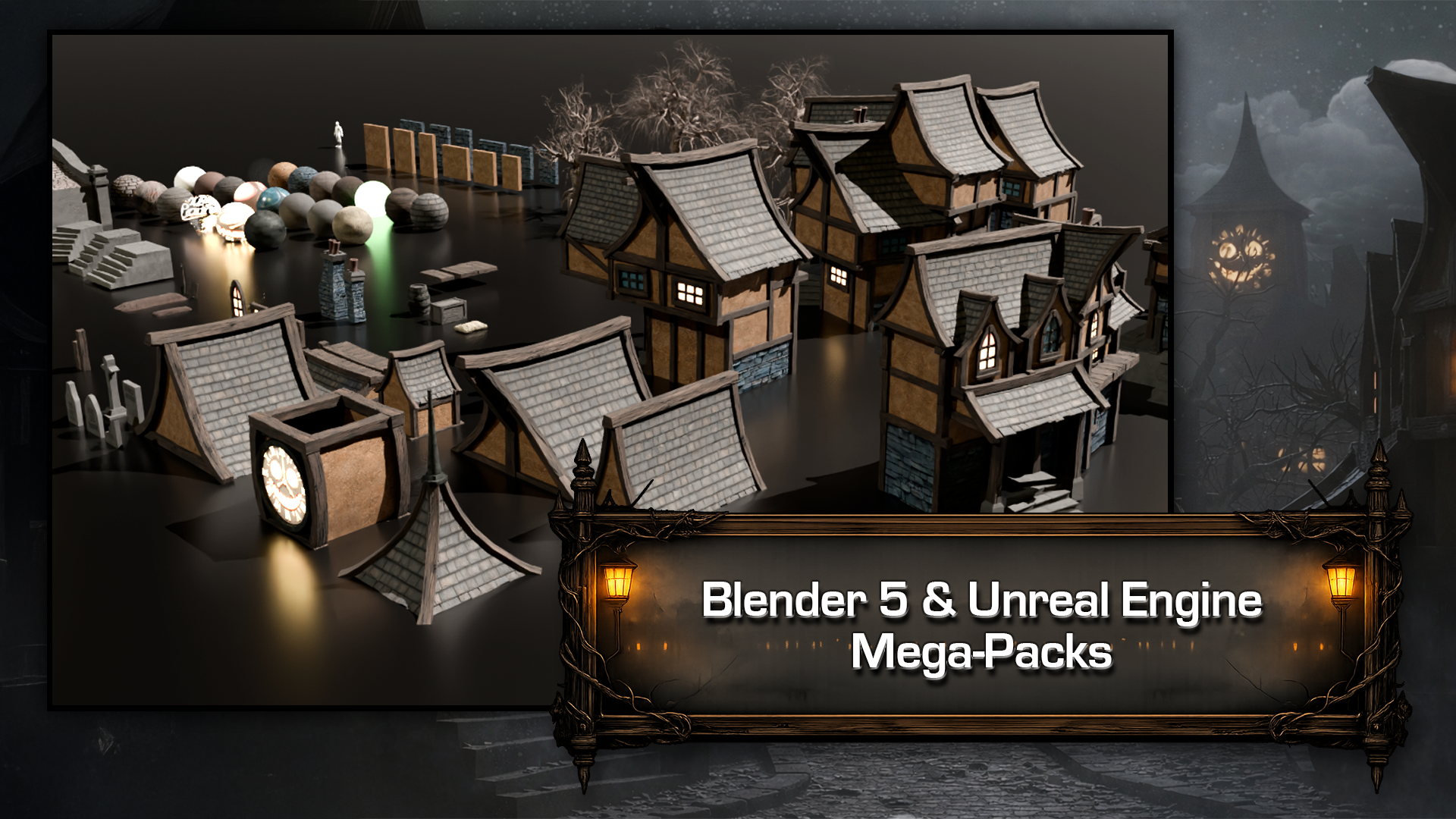
Model a modular haunted-street kit with walls, roofs, windows, doors and props in Blender.
Prepare UVs, materials, scale, normals and pivots for a reliable Blender-to-Unreal handoff.
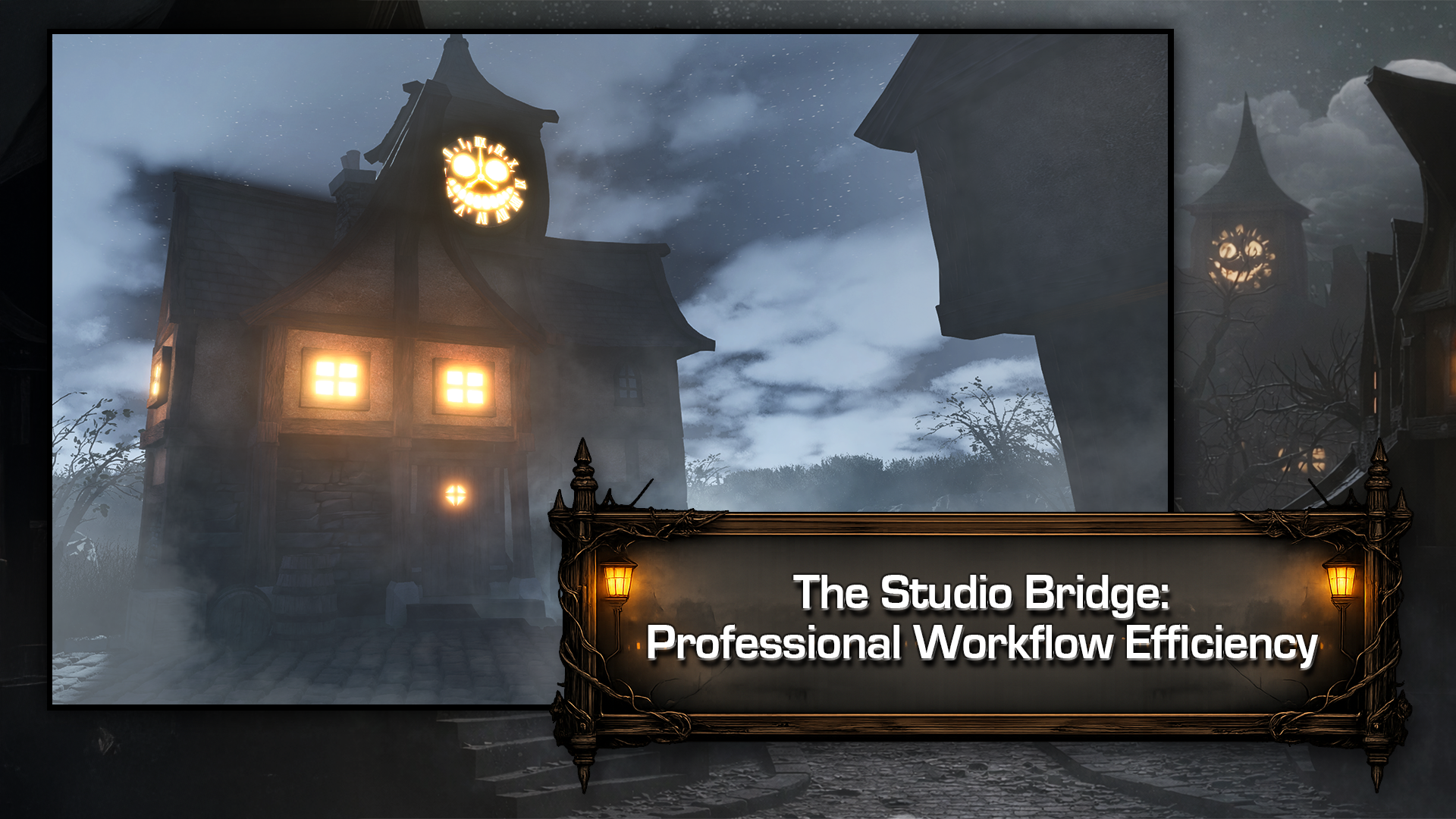
Assemble a clock tower, buildings, cemetery and bridge into a cohesive Unreal environment.
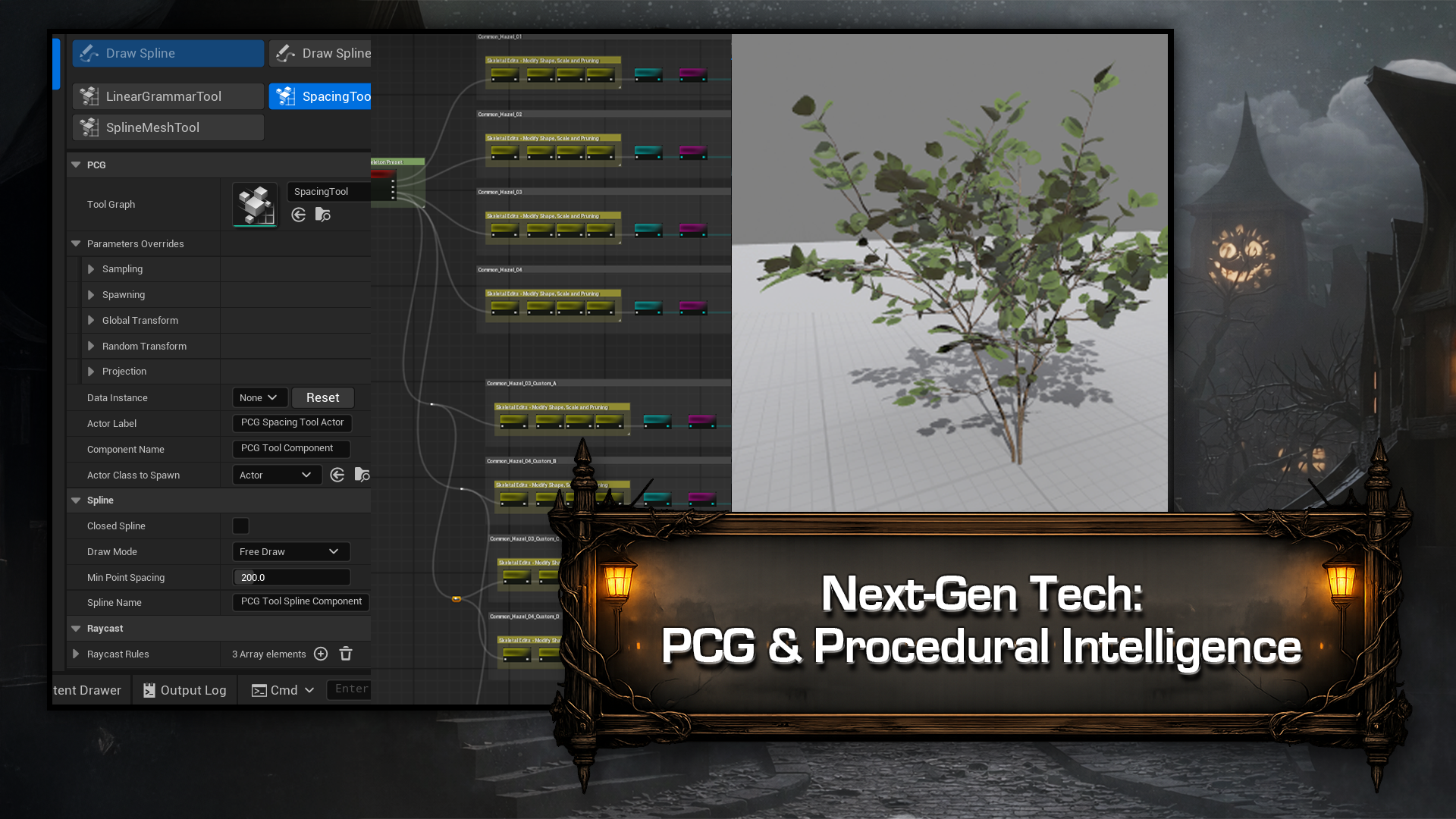
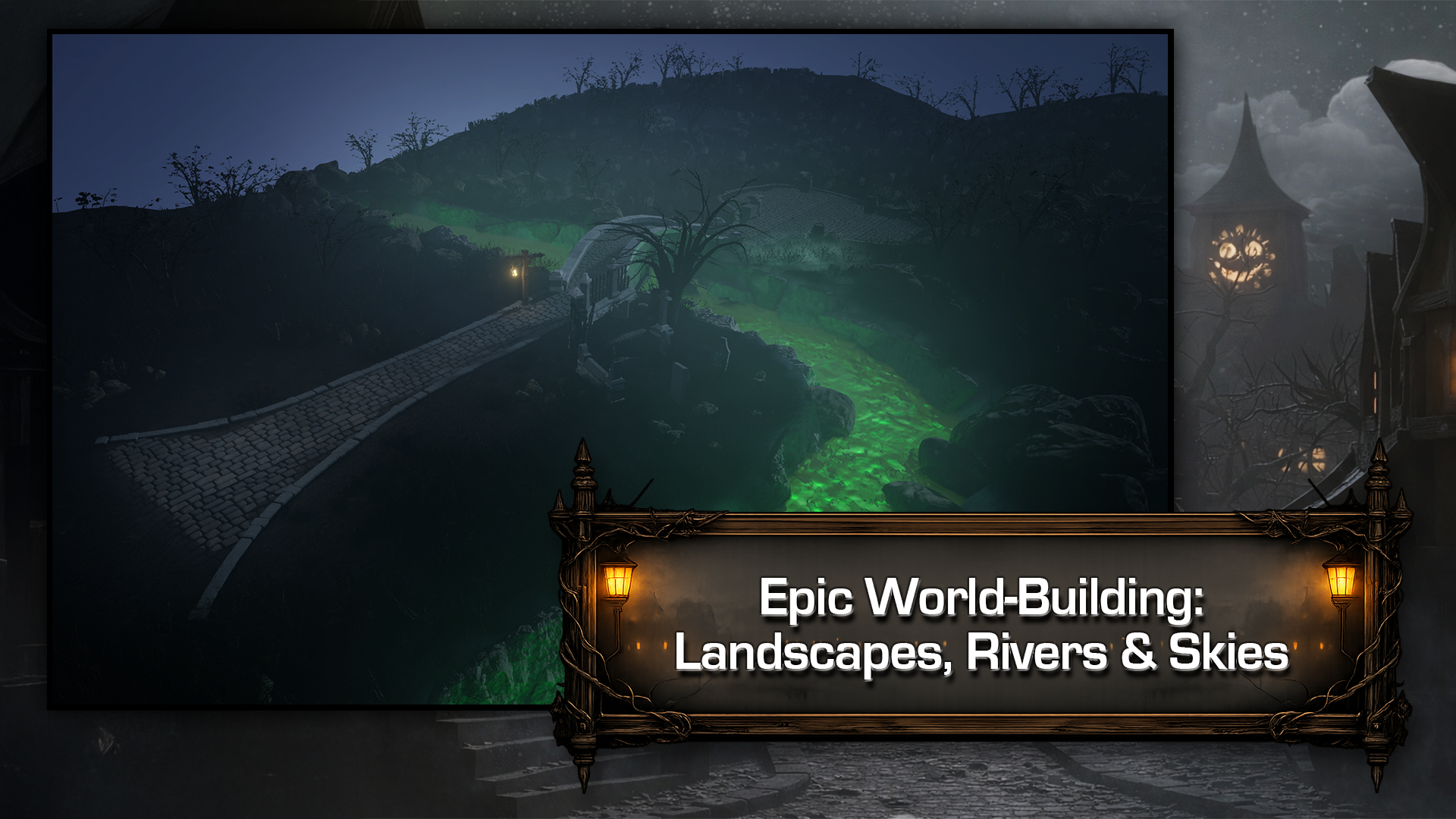
Create landscape materials, a stylized river, procedural foliage and PCG paths.
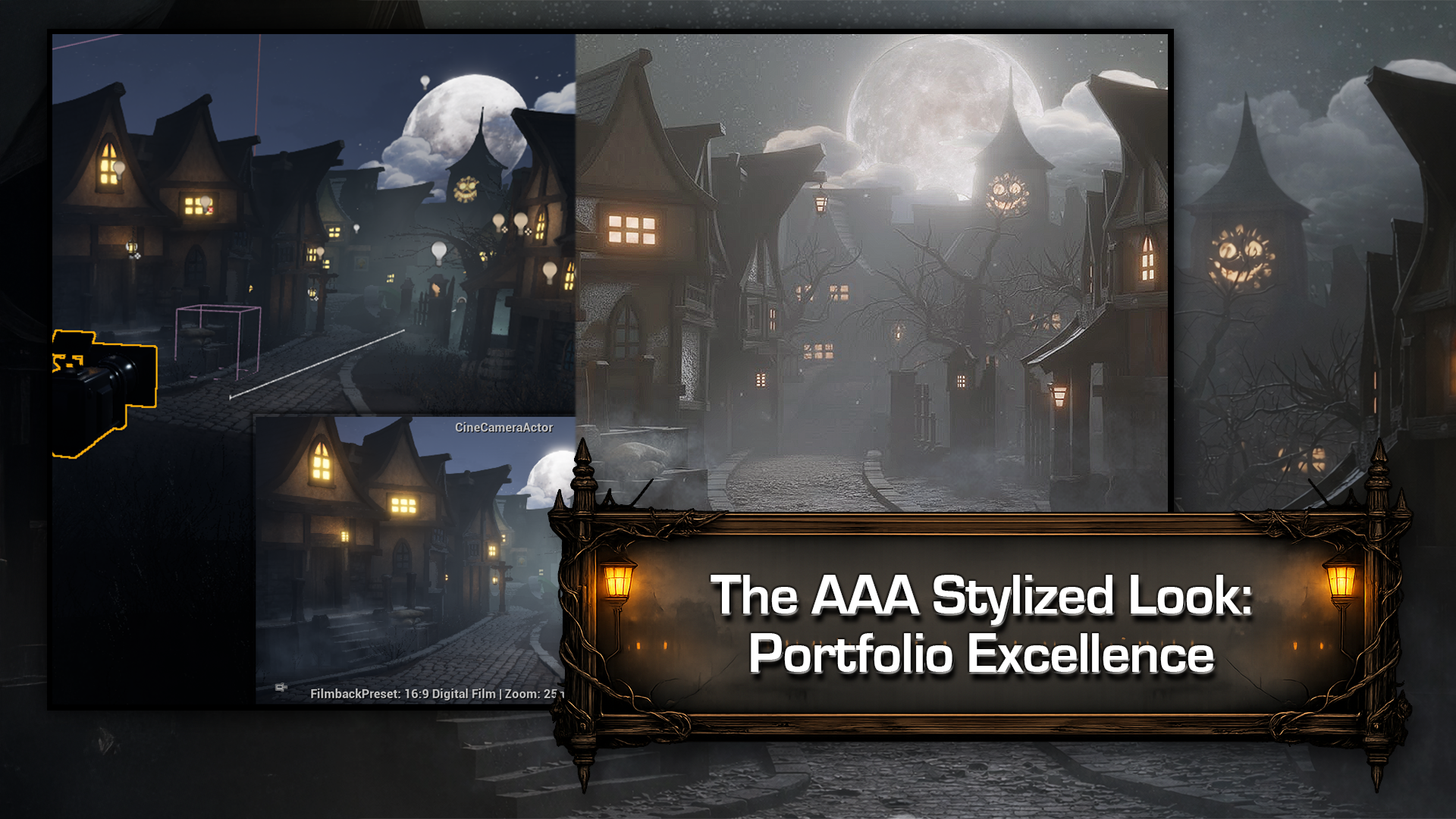
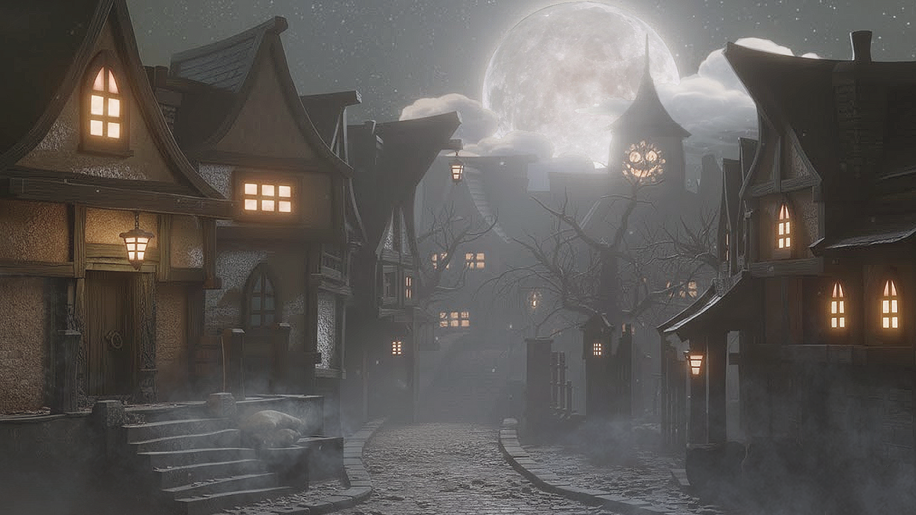
Build night atmosphere with Lumen lighting, emissive details, clouds and Niagara fog.
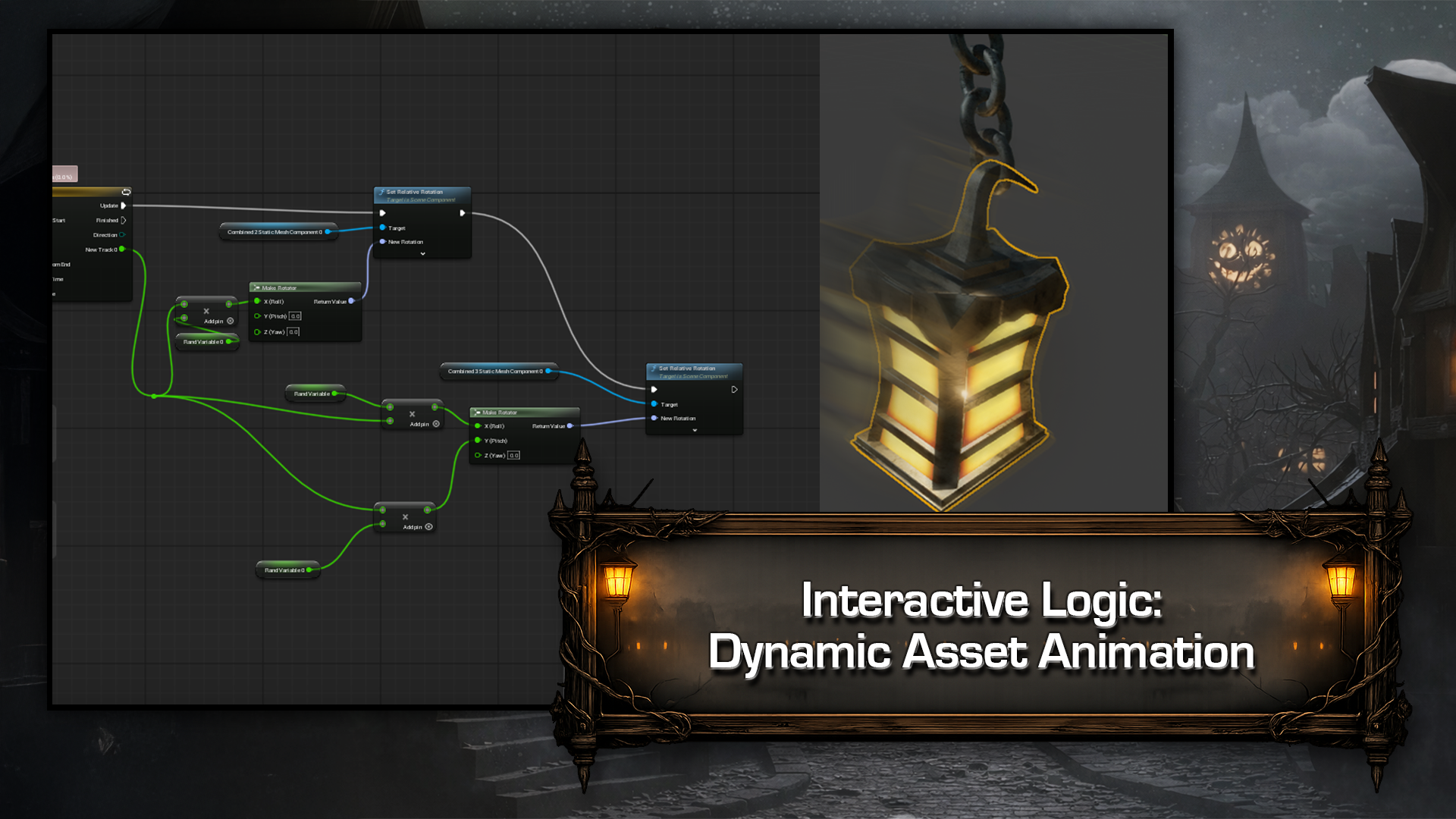
Animate lanterns and signs with Blueprints and render a cinematic camera shot.
Case
Students
Blender learners ready to create a complete stylized environment kit.
Unreal Engine artists who want to model their own modular assets.
Environment artists building a haunted village portfolio project.
Lecturer
3D Tudor
3D Tudor creates practical, project-based training for 3D artists. Our courses cover Blender modeling, materials, asset preparation and workflows in Unreal Engine. We guide learners through complete projects, from individual assets and modular kits to environments and interactive scenes. Step-by-step lessons, project files and reference materials support hands-on practice.
Contents
161
Lessons (Finish)
01 - Blender Foundations, Modular Walls and Materials
Lesson 1 - Building a Modular Haunted Street from Blender to Unreal Engine 5
(8m 44s)
Lesson 2 - Mastering Blender Viewport Navigation and File Safety
(10m 9s)
Lesson 3 - Core Modeling Tools Extrude, Bevel, Bridge and More
(20m 5s)
Lesson 4 - Creating Modular Wall Variations with Real-World Scale
(12m 22s)
Lesson 5 - Mastering Collections for Clean Scene Organization
(9m 12s)
Lesson 6 - Professional Asset Naming and Modular Wall Setup
(7m 34s)
Lesson 7 - Eevee vs Cycles Shading, Lighting and Render Settings
(19m)
Lesson 8 - Gray Box Materials with Ambient Occlusion Setup
(13m 7s)
Lesson 9 - Cycles vs Eevee GPU Setup and Sky Texture Lighting
(11m 6s)
Lesson 10 - Mastering Seams and Sharp Edges for Clean Shading
(9m 18s)
Lesson 11 - Unwrapping Modular Walls and Applying Brick Textures
(12m 41s)
Lesson 12 - Modeling Wooden Struts with Bevel Modifier
(10m 51s)
Lesson 13 - Appending Materials and Clean UVs for Stone Post
(11m 17s)
Lesson 14 - Bending Stylized Brick Post with Proportional Editing
(10m 46s)
Lesson 15 - Large Support Post and Stylized Plank Modeling
(12m)
Lesson 16 - Smart UV Project and Material Setup for Assets
(12m 28s)
02 - Stone Stairs and Haunted Windows
Lesson 17 - Building Procedural Stone Stairs with Geometry Nodes
(12m 10s)
Lesson 18 - Converting Geometry Nodes Stairs into Worn Stone
(11m 43s)
Lesson 19 - Solidify Modifier Depth and Secondary Stair Set
(12m 14s)
Lesson 20 - Final Stair Wear with Solidify and Bevel
(14m 8s)
Lesson 21 - Modeling and Bending Detailed Stone Staircases
(12m 11s)
Lesson 22 - Building Stylized Wooden Windows with Clean Topology
(12m 10s)
Lesson 23 - Adding Window Panes, Solidify Thickness and Depth
(12m 2s)
Lesson 24 - Modeling a Triangular Arched Window with Knife Tool
(12m 14s)
Lesson 25 - Solidify, Clean Topology and Bevel Haunted Windows
(12m 33s)
Lesson 26 - Magic UV and UV Squares for Perfect Window Unwraps
(13m 55s)
Lesson 27 - Fix Distorted UVs and Control Window Emission
(12m 31s)
03 - Doors, Handles and Asset Libraries
Lesson 28 - Boolean Door Cutouts and Custom Panel Modeling
(10m 53s)
Lesson 29 - Clean Topology, Randomize and Bevel Door Panels
(6m 40s)
Lesson 30 - Modeling Detailed Door Panels with Glass Inserts
(11m 22s)
Lesson 31 - Creating a Classic Door Handle with Curves
(12m 25s)
Lesson 32 - Designing a Teardrop Door Handle with Cylinder
(14m 50s)
Lesson 33 - Mastering the Blender Asset Manager and Libraries
(9m 22s)
Lesson 34 - Modeling Wooden Door Supports with Mirror and Bevel
(11m 56s)
Lesson 35 - Shaping a Detailed Stone Doorway with Mirror
(9m 56s)
Lesson 36 - Applying Stone and Wood Materials with Smart UV Project
(10m 36s)
Lesson 37 - Smart UV Project and Mirror Modifier for Doors
(12m 26s)
04 - Graveyard Props, Barrels and Lanterns
Lesson 38 - Modeling a Stylized Spade with Proportional Editing
(11m 21s)
Lesson 39 - Finishing the Spade Handle with Mirror and Solidify
(10m 44s)
Lesson 40 - Modeling a Pickaxe and Blocking Out Graves
(10m 36s)
Lesson 41 - Sculpting Grave Forms with Multi Resolution and Displace
(11m 51s)
Lesson 42 - Cloth Simulation Linen Sack with Sculpt and Decimate
(12m 43s)
Lesson 43 - Precise Seam Unwrapping and Barrel Base Modeling
(9m 56s)
Lesson 44 - Randomized Barrel Planks with Solidify and Detail
(10m 30s)
Lesson 45 - Modeling a Detailed Barrel and Wooden Crate
(11m 46s)
Lesson 46 - Randomized Planks, Solidify Modifier and UV Mapping
(12m 2s)
Lesson 47 - UV Mapping Props and Building a Stylized Lantern
(11m 38s)
Lesson 48 - Lantern Thickness, Materials and Clean UV Mapping
(13m)
Lesson 49 - Modeling an Ornate Standing Lamp Base and Crown
(13m 6s)
Lesson 50 - Sculpting the Lamp Hook and Chain with Curves
(10m 35s)
Lesson 51 - Non-Destructive Chain Links with Curve Path and Array Modifier
(12m 43s)
05 - Stone Bridge, Gravestones and Chimneys
Lesson 52 - Bridge Blockout Planning with Boolean Arches
(11m 6s)
Lesson 53 - Sculpting a Realistic Bridge Arch with Boolean Cut
(11m 19s)
Lesson 54 - Stone Lip Details, Clean Topology and Mirrored Posts
(12m 22s)
Lesson 55 - Mirrored Supports and Solidify Modifier Details
(12m 12s)
Lesson 56 - Center Stone Structure and Geometry Nodes Path
(12m 36s)
Lesson 57 - Stone Bridge Slabs with Geometry Nodes Path
(7m 53s)
Lesson 58 - Bevel Modifiers and Clean UVs for Bridge Textures
(10m 38s)
Lesson 59 - UV Seams, Island Variation and Final Bridge Join
(13m 54s)
Lesson 60 - Organize Scene and Model Stylized Gravestones
(10m 43s)
Lesson 61 - Modeling and Beveling a Stylized Cross Gravestone
(12m 19s)
Lesson 62 - Applying Materials and Decals to Gravestones
(12m 13s)
Lesson 63 - Organizing Gravestones and Modeling Stylized Chimneys
(11m 13s)
Lesson 64 - Finishing Chimneys with Bevels and Clean UV Mapping
(14m 41s)
Lesson 65 - Advanced Chimney Unwrapping and UV Organization
(9m 18s)
06 - Cemetery Walls, Gates and Street Details
Lesson 66 - Modeling Modular Cemetery Walls with Bevel Detail
(9m 4s)
Lesson 67 - Gothic Railings with Curves, Array and Solidify
(14m 35s)
Lesson 68 - Creating a Broken Fence with Boolean Damage
(14m 42s)
Lesson 69 - Modeling a Detailed Stone Pillar with Tapered Blocks
(11m 23s)
Lesson 70 - Bevel Modifier, Randomize Transform and Stone Details
(10m 33s)
Lesson 71 - Designing a Gate Post with Lamp Recess and Hinge
(10m 58s)
Lesson 72 - Boolean Lamp Cutout and Clean Topology Workflow
(13m 11s)
Lesson 73 - Modeling an Ornate Gate Frame with Bevel and Array
(10m 57s)
Lesson 74 - Sculpting Elegant Scrollwork with Curve Subdivision
(10m 47s)
Lesson 75 - Refining Gate Details and Optimizing Topology
(11m 16s)
Lesson 76 - Aging the Gate with Randomize and Bevel Modifiers
(12m 5s)
Lesson 77 - Refining the Cemetery Gate with Mirror and Array
(13m 1s)
Lesson 78 - Clean Bevel Topology and Broken Gate with Boolean
(10m 36s)
Lesson 79 - Smart UV Project and Linked Materials Workflow
(13m 42s)
Lesson 80 - Organizing Assets and Creating Broken Variations
(12m)
Lesson 81 - Model a Detailed Hanging Wooden Sign with Bevel
(13m 38s)
Lesson 82 - Build a Stylized Lamppost with Chains and Supports
(14m 32s)
Lesson 83 - Sculpt a Curved Lamppost and Stone Pedestal Base
(12m 29s)
Lesson 84 - Assign Materials and UV Unwrap the Lamppost
(9m 49s)
07 - Roofs, Clock Tower and Modular Kit Completion
Lesson 85 - Modeling Stylized Haunted Roofs with Solidify and Mirror
(13m 17s)
Lesson 86 - Non-Destructive Roof Bottoms and Lattice-Ready Topology
(11m 1s)
Lesson 87 - Precise Roof Tile Unwrapping and Custom Edge Tiles
(14m 10s)
Lesson 88 - Refining Tile Meshes and Perfect Roof Edge Blending
(11m 53s)
Lesson 89 - Matching Roof Tile Materials and Modeling Variations
(11m 40s)
Lesson 90 - Roof Variations with Mirror and Proportional Editing
(12m 54s)
Lesson 91 - Build Roof Support Beams and Inner Wall with Mirror Bevel and Auto Smooth
(13m 16s)
Lesson 92 - Final Roof Alignment, Bevel, and Randomize Variation
(15m 9s)
Lesson 93 - Precise Roof Tile Unwrapping and UV Alignment
(14m 13s)
Lesson 94 - Building the Clock Tower Base with Solidify and Mirror
(12m 26s)
Lesson 95 - Modeling a Detailed Clock Face with Bevel and Subdivision Surface
(11m 36s)
Lesson 96 - UV Mapping and Materials for the Clock Tower
(10m 12s)
Lesson 97 - Modeling a Modular Dormer Roof with Mirror Modifier
(18m 2s)
Lesson 98 - UV Unwrapping and Mirroring a Windowed Roof Module
(11m 24s)
Lesson 99 - Building Roof Supports and Underside Planks
(11m 40s)
Lesson 100 - Final UV Mapping, Materials, and Clean Shading
(8m 58s)
Lesson 101 - Bending Stylized Roofs with Lattice Deform
(11m 20s)
Lesson 102 - Shaping Roof Caps and Tiles with Lattice Deform
(11m 57s)
Lesson 103 - Modeling a Tapered Spire with Bevel and Mirror
(10m 46s)
Lesson 104 - Building Wooden Supports and Clean UV Unwraps
(12m 1s)
Lesson 105 - Final Asset Cleanup, Naming and Production Handoff
(12m 2s)
08 - Preparing and Importing Assets into Unreal Engine 5
Lesson 106 - Preparing Clean Modular Meshes for Unreal Engine 5
(9m 47s)
Lesson 107 - Fixing Scale, Normals and Non-Manifold Geometry
(11m 16s)
Lesson 108 - Optimizing Topology for Unreal Engine Vertex Painting
(11m 50s)
Lesson 109 - Perfect Origin Points and Pivots for Unreal Engine 5
(14m 49s)
Lesson 110 - Exporting Blender Assets to Unreal with glTF 2.0
(7m 39s)
Lesson 111 - Introducing Unreal Engine 5 Basics
(7m 26s)
Lesson 112 - Importing GLB Files into Unreal Engine 5
(15m 21s)
09 - Landscape, Modular Assembly and Vertex Painting
Lesson 113 - Procedural Mountains with Landmass Blueprint Brushes
(10m 59s)
Lesson 114 - Sculpting Rivers and Terrain with Landscape Edit Layers
(8m 43s)
Lesson 115 - Building the Clock Tower Base and Fixing Normal Maps
(12m 9s)
Lesson 116 - Scaling and Aligning Tower Structure with Local Axes
(7m 43s)
Lesson 117 - Creating Stylized Roof Silhouettes and Entrances
(10m 17s)
Lesson 118 - Layered Facade Depth with Walls and Support Beams
(14m 29s)
Lesson 119 - Local Space Duplication for Tower Variations
(13m 2s)
Lesson 120 - Glowing Windows and Structural Beam Adjustments
(10m 36s)
Lesson 121 - Organizing, Duplicating, and Repositioning Buildings
(13m 5s)
Lesson 122 - Modeling Mode Fixes, Warp Deform and Asset Merging
(11m 47s)
Lesson 123 - Scene Composition, Camera Bookmarks and Silhouettes
(7m 31s)
Lesson 124 - Vertex Painting Grime and Stylized Ambient Occlusion
(11m 27s)
Lesson 125 - Advanced Vertex Painting for Roofs and Base Grime
(8m 43s)
Lesson 126 - Efficient Vertex Painting for Stylized Huts
(8m 46s)
Lesson 127 - Refining Vertex Paint and Night Scene Contrast
(6m 47s)
10 - Night Lighting, Landscape Materials and River
Lesson 128 - Cine Camera Setup and Atmospheric Night Lighting
(14m 7s)
Lesson 129 - Moonlight Refinement and Custom Starry Sky Material
(8m 40s)
Lesson 130 - Bloom Lighting and Emissive Moon Setup
(11m 51s)
Lesson 131 - Translucent Cloud Materials with Glow Control
(16m 41s)
Lesson 132 - Prop Placement and Collision Setup for Realism
(8m 51s)
Lesson 133 - Building a Cinematic Cemetery Entrance
(10m 56s)
Lesson 134 - Fixing Landscape Materials with Nanite Displacement
(13m 19s)
Lesson 135 - Cell Bombing and Pavement Paths in Landscape
(12m 40s)
Lesson 136 - Creating a River with Water Body in Unreal Engine 5
(9m 58s)
Lesson 137 - Refining River Water Material for Murky Glow
(9m 3s)
Lesson 138 - Adding Emissive Glow Beneath the River
(6m 54s)
Lesson 139 - Realistic Window Lighting with Point Lights
(6m 49s)
11 - Foliage, PCG Paths and Procedural Trees
Lesson 140 - Setting Up Procedural Foliage Volume with Shrubs
(14m 1s)
Lesson 141 - Advanced Procedural Foliage Controls and Optimization
(14m 1s)
Lesson 142 - Enhancing Rivers with Rocks, Cliffs and Nanite Fixes
(11m 39s)
Lesson 143 - Placing Cliffs and Sculpting Terrain for Seamless Blends
(12m 17s)
Lesson 144 - Natural River Rock Placement with Foliage Mode
(7m 41s)
Lesson 145 - Procedural Path Slabs with PCG Linear Grammar Tool
(11m 56s)
Lesson 146 - Drawing and Refining Pavement Paths with Splines
(9m 45s)
Lesson 147 - Sculpting Stylized Procedural Trees in Unreal Engine
(12m 17s)
Lesson 148 - Designing Unique Tree Variations with Foliage Controls
(12m 56s)
Lesson 149 - Exporting Nanite Trees and Scattering with PCG
(10m 7s)
Lesson 150 - Custom Tree Materials and Dense Forest Setup
(9m 37s)
Lesson 151 - Sculpting a Twisted Hollow Tree with Gravity
(15m 13s)
Lesson 152 - Placing Hollow Trees and Controlling Wind Effects
(6m 6s)
12 - Fog, Animated Details and Cinematic Output
Lesson 153 - Creating Atmospheric Fog with Niagara Systems
(11m 39s)
Lesson 154 - Layered Fog Effects with Niagara Sprite Control
(10m 6s)
Lesson 155 - Building a Hanging Lantern Blueprint with Dynamic Light
(11m 46s)
Lesson 156 - Animating Natural Lantern Swing with Timeline
(14m 44s)
Lesson 157 - Creating a Worn Inn Sign Blueprint with Subtle Swing
(17m 16s)
Lesson 158 - Create a Swinging Sign Blueprint with Text Render
(14m 10s)
Lesson 159 - Level Sequence Setup and Cinematic Lighting
(8m 27s)
Lesson 160 - Precision Lighting with Lighting Channels
(10m 49s)
Lesson 161 - Animate the Camera and Render a Cinematic Shot
(6m 44s)
Show More
Show Less
Discussions
You must be purchased to post a comment.
Buy Now !
Start a Conversation
Ask a Question
Share a Project
Cancel
Post
There are no discussions for this course.
Buy now and unlock more
Go to see all discussions
Parameter
$39.00 $39.00 0%off
$37.05
Level
Beginner
Intermediate
Advanced
Beginner/Intermediate
Beginner/Advanced
Intermediate/Advanced
Beginner/Intermediate/Advanced
Lessons
161/31h
(Finish)
Duration
31 hours
Category
Game Art
Language
English
Last updated
2026-10-19
Buy Now
Add to cart
Go to cart
$39.00
$39.00
$37.05
Add to cart
Go to cartBuy Now